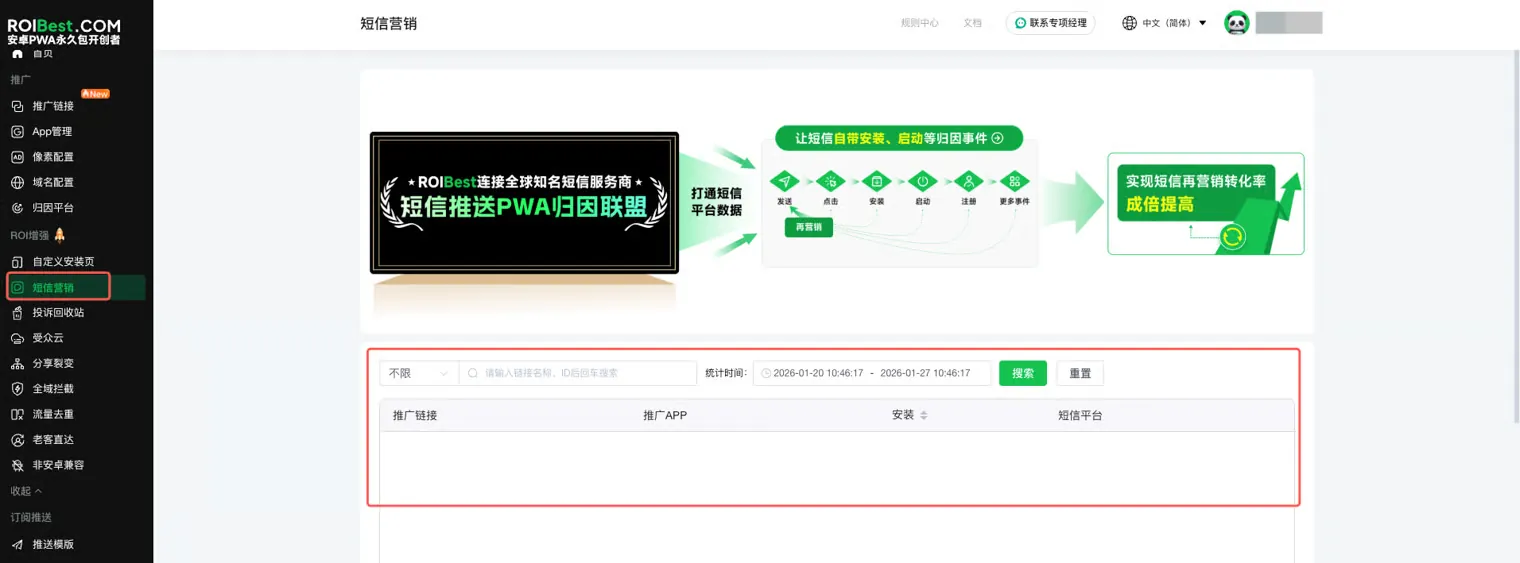

SMS Marketing
Integrate with the EngageLab SMS platform to cover key scenarios such as registration verification, campaign push notifications, and promotional alerts — enabling multi-channel conversion.
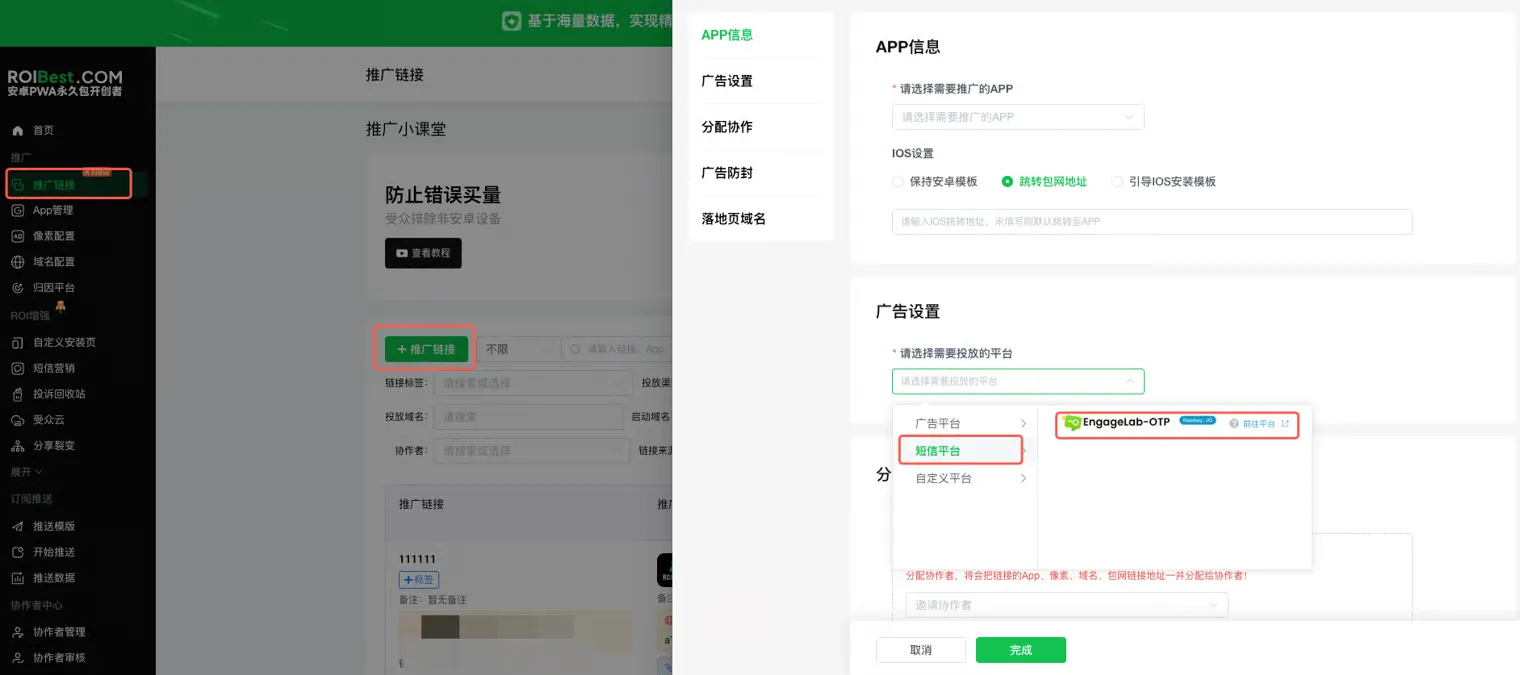
Step 1 - Create an SMS Promotion Code
• Go to Promotion Links → + Promotion Link → Ad Settings → SMS Platform → EngageLab
Step 2 - Copy the PWA Code
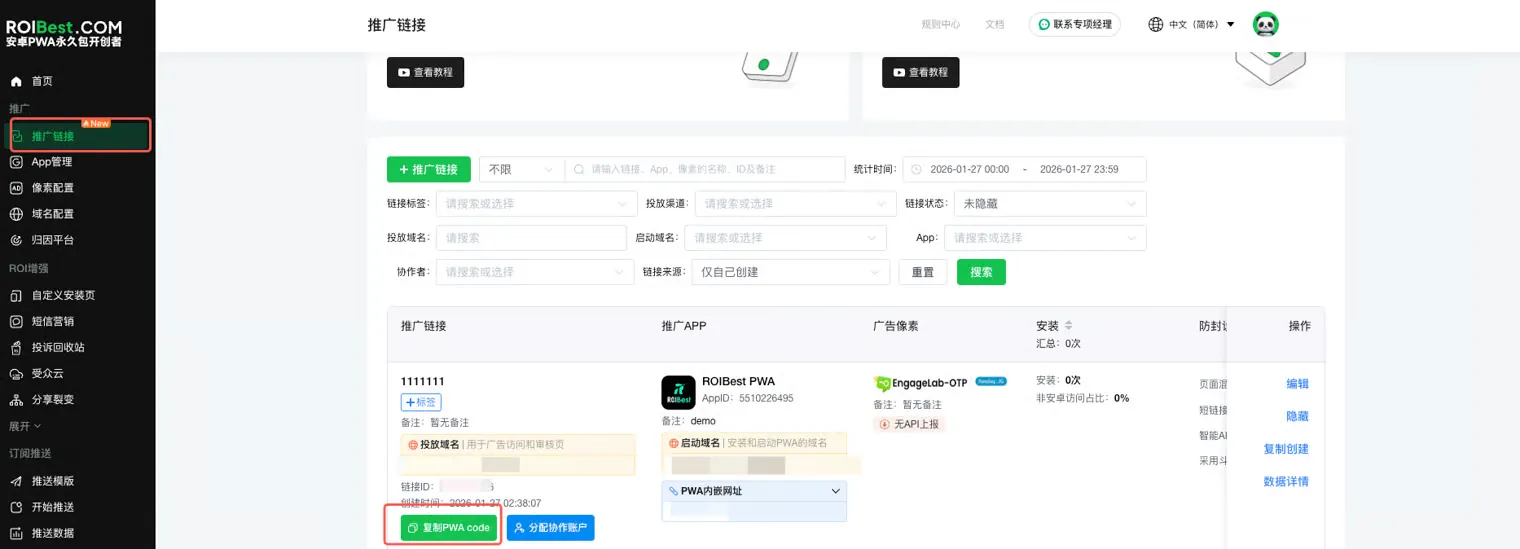
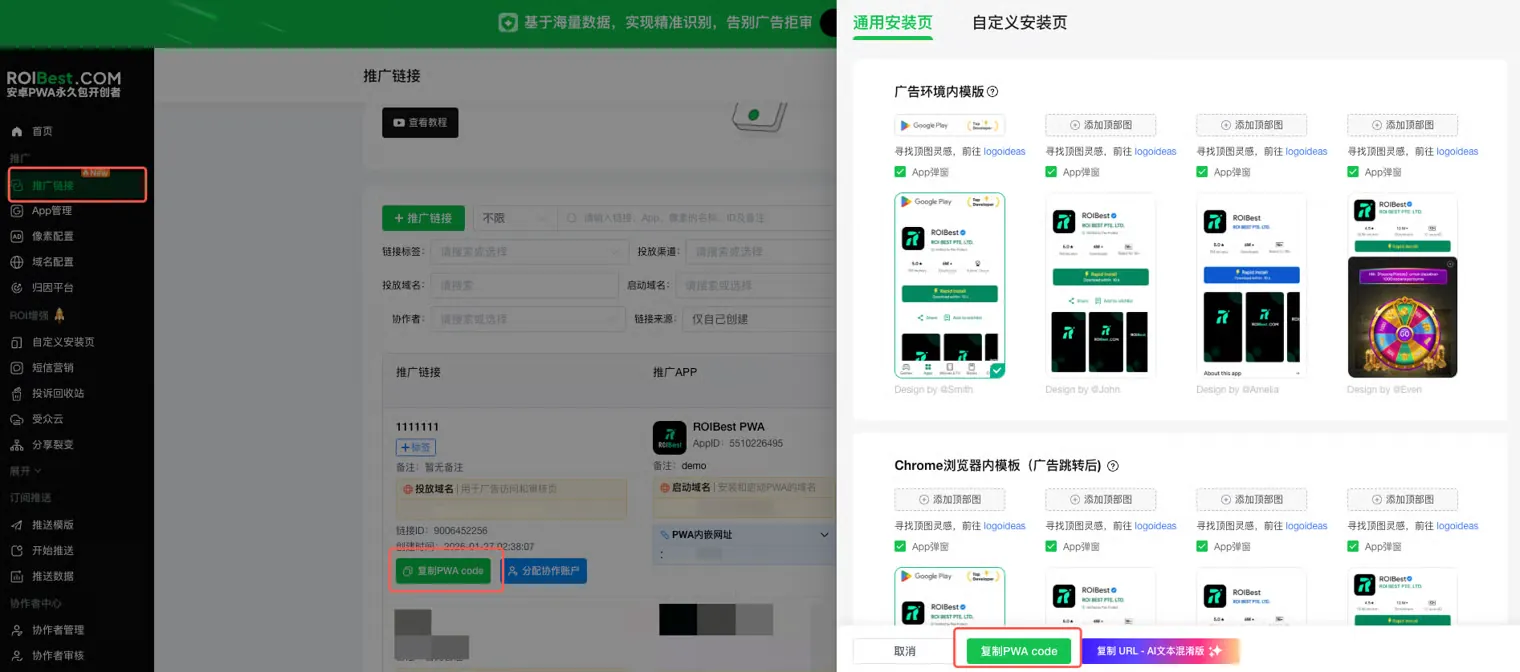
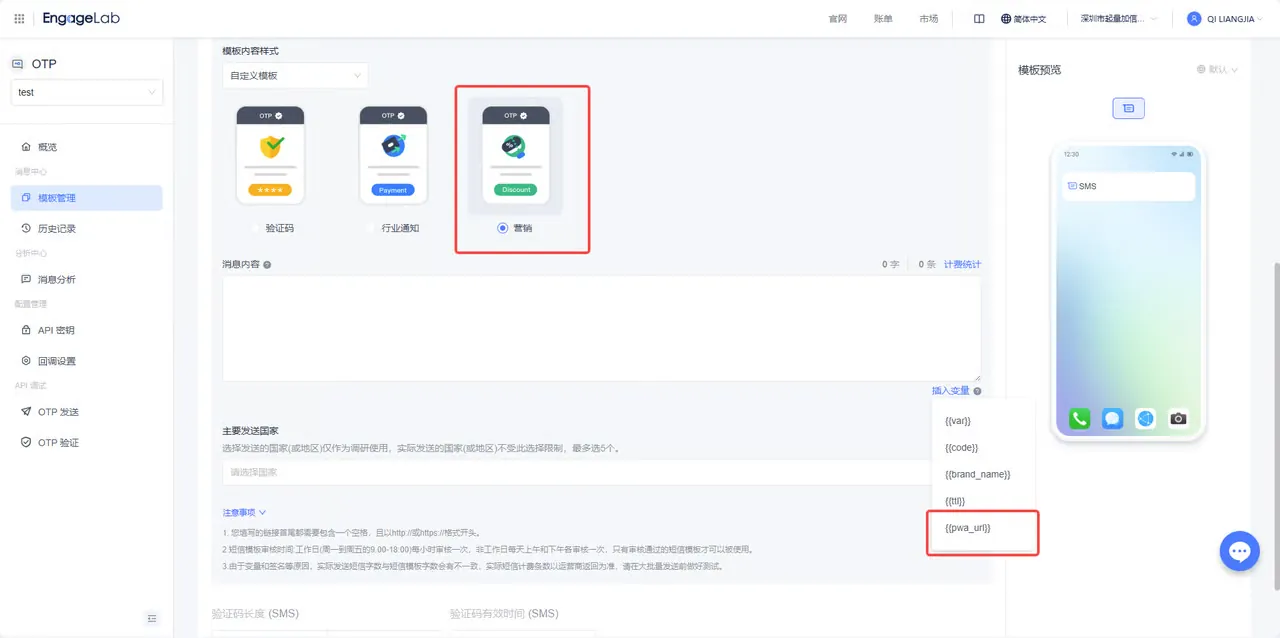
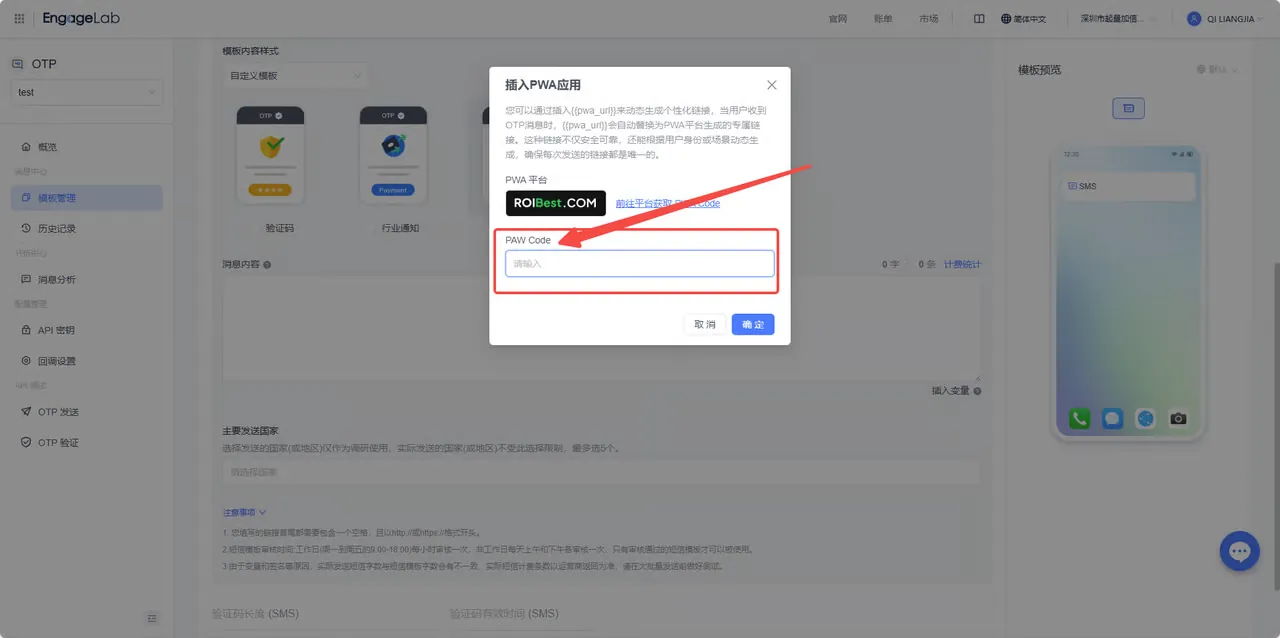
Step 3 - Create a Template in the EngageLab Console (by Jiguang)
EngageLab tutorial: https://www.engagelab.com/zh_CN/docs/otp/faq/how-to-send-pwa-with-sms
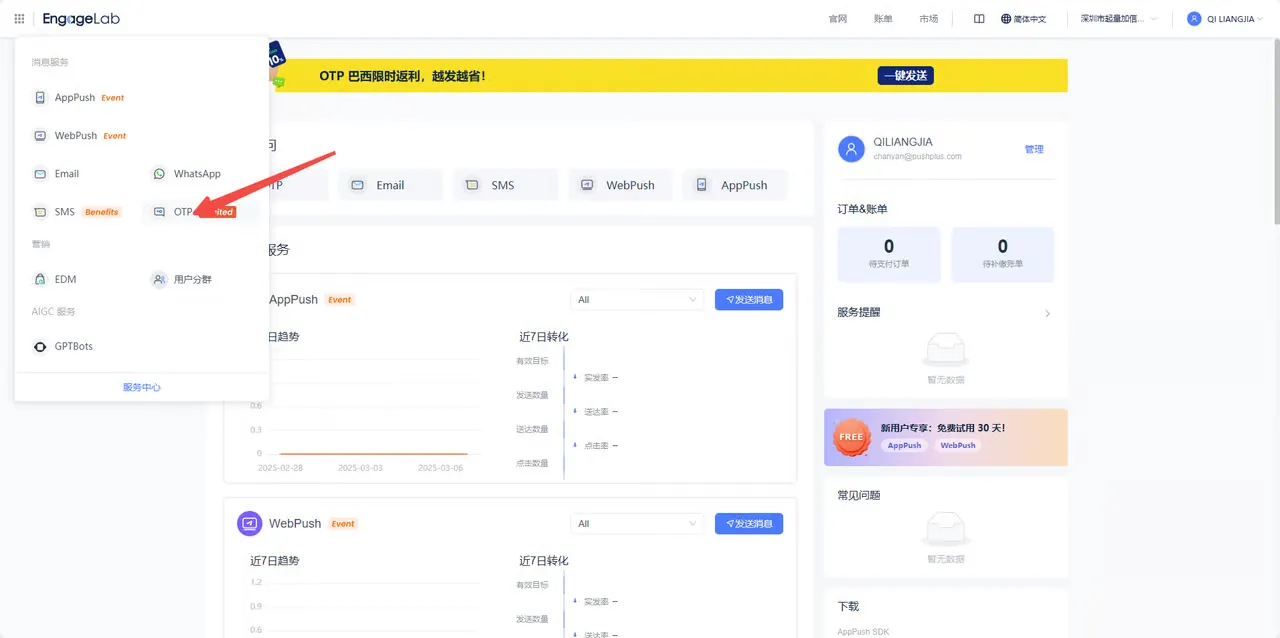
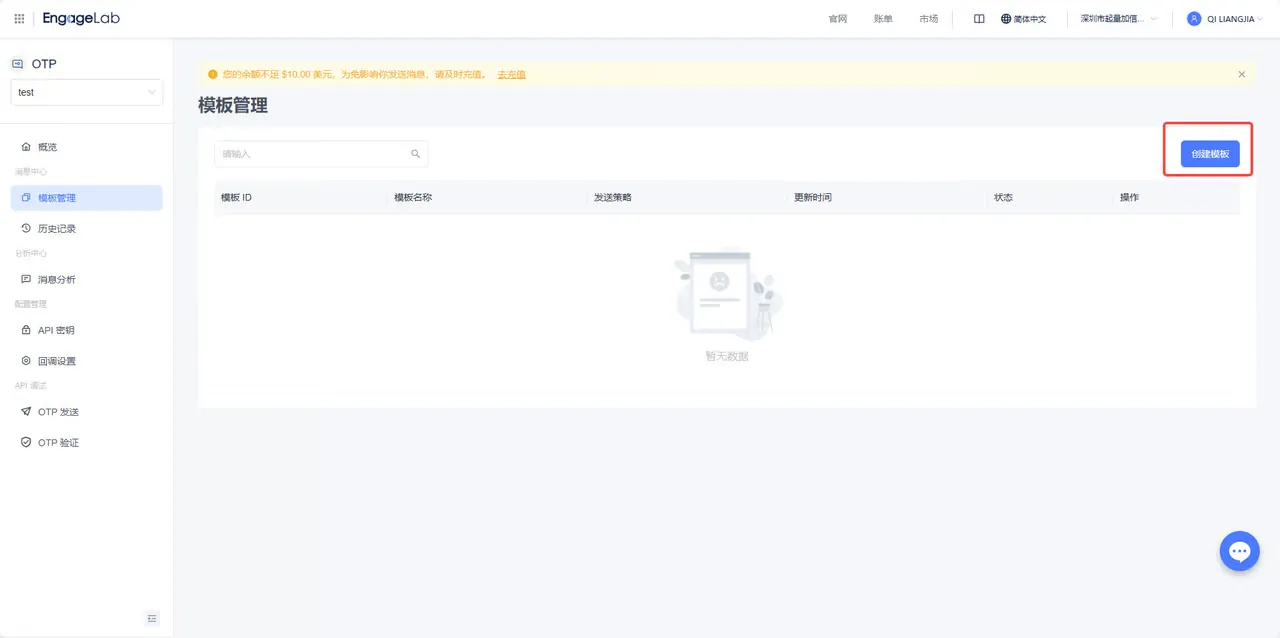
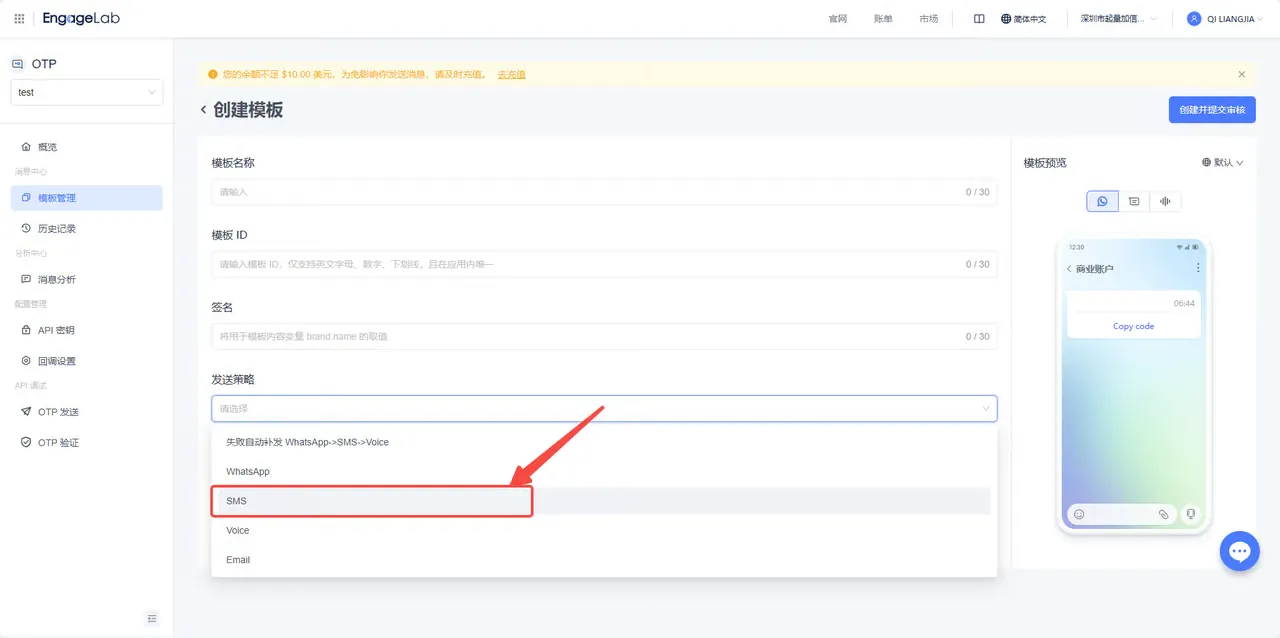
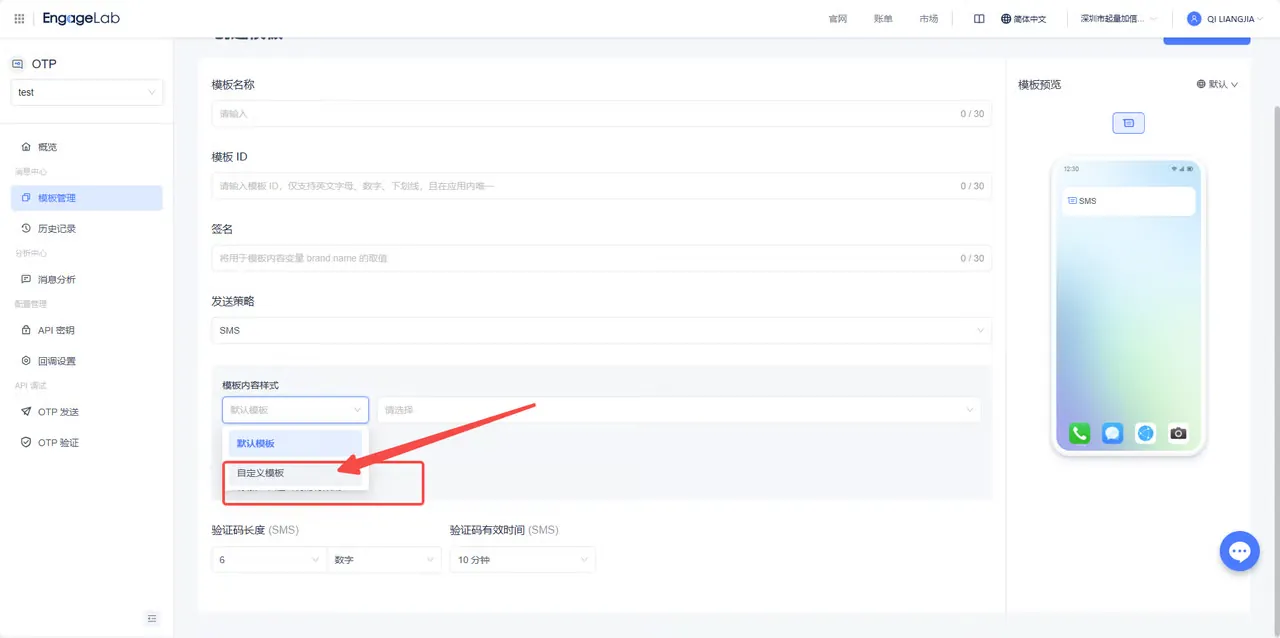
• Set the sending strategy to SMS → select Custom Template → choose Marketing → insert the variable pwa url → paste the PWA Code
Step 4 - View SMS Installation Data in the PWA Dashboard
Installation data from EngageLab SMS campaigns can be viewed in the SMS Marketing panel of the PWA dashboard.