

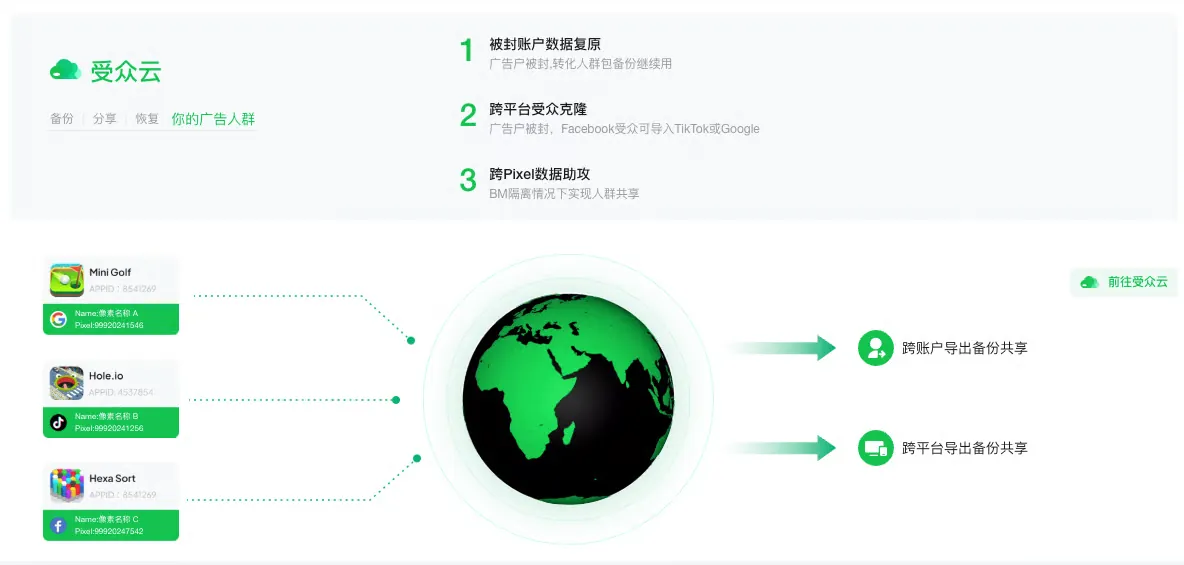
Audience Cloud
Back up ad pixel data to reduce the impact of ad account bans, deduplicate conversions on the media side, and enable precise retargeting campaigns.
Step 1 - Enable the Feature
Note
This feature is currently exclusive to enterprise clients at no additional cost. To request access, please contact your Customer Success Manager.
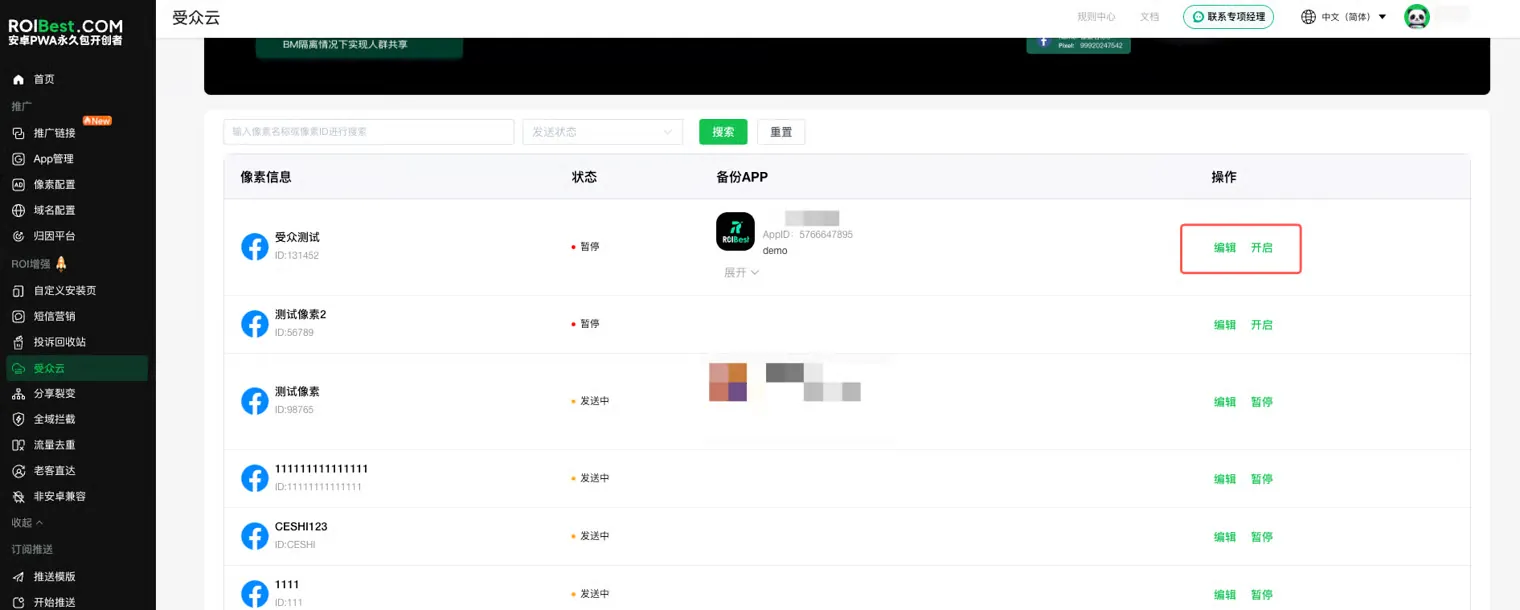
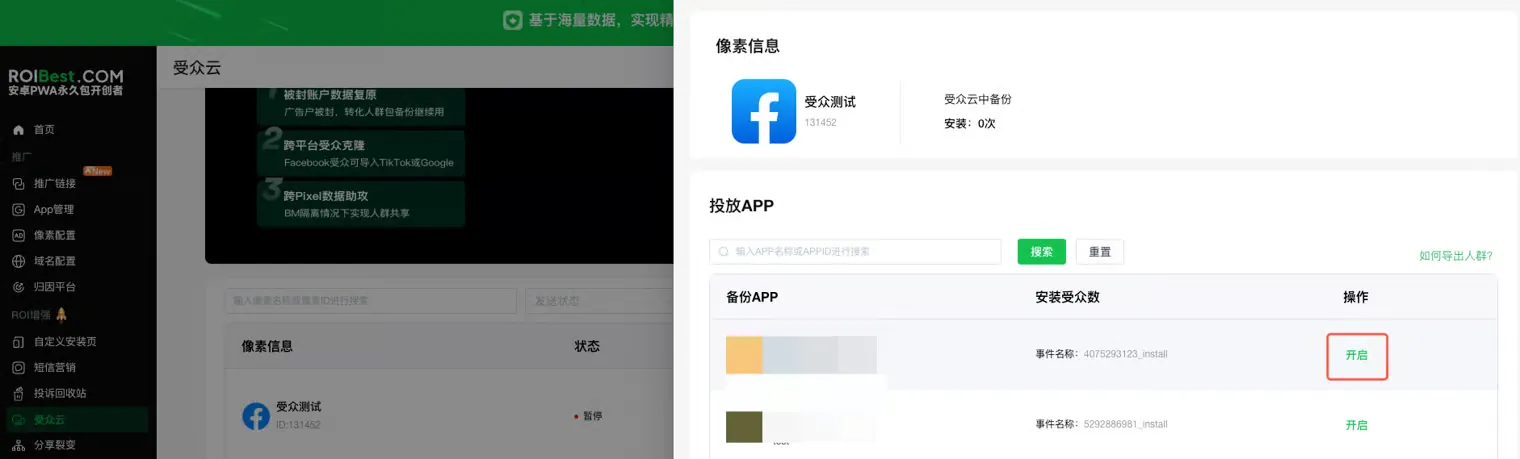
Step 2 - Go to the Audience Cloud Entry, Click Enable, Then Click Edit. Search for the App Name or App ID, Click Enable, and the App Will Start Reporting
Note
You must enable reporting on both the pixel and the app at the same time for data to be reported. Pixel reporting also needs to be turned on.

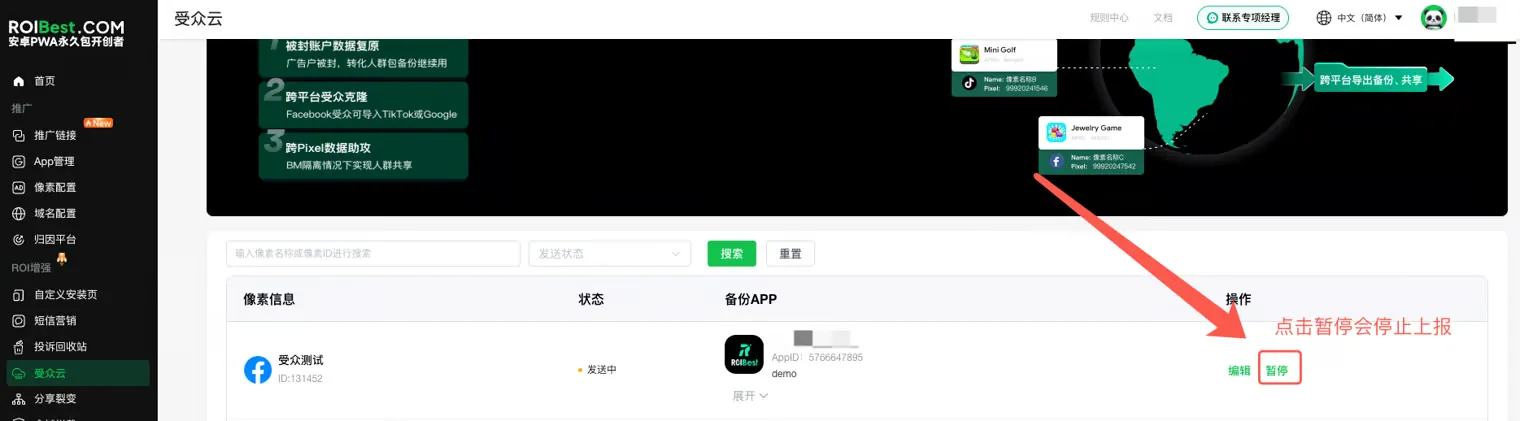
Step 3 - Backup Pixel Is Off by Default — Click Pause to Stop Reporting for All Apps Under That Pixel
Audience export tutorial: https://mis.roibest.com/#/word-viewer?type=audience-cloud