
Attribution Platform
Third-party attribution platform: Adjust
① Before using this feature, make sure your product or white-label platform already supports the Adjust platform;
② If your product supports Adjust, provide your product domain and app token to the Adjust team to enable web attribution;
③ If your product has integrated Adjust but the media platform you plan to advertise on does not support Adjust, click the Adjust callback link configuration tutorial;
Step 1 - Create an App
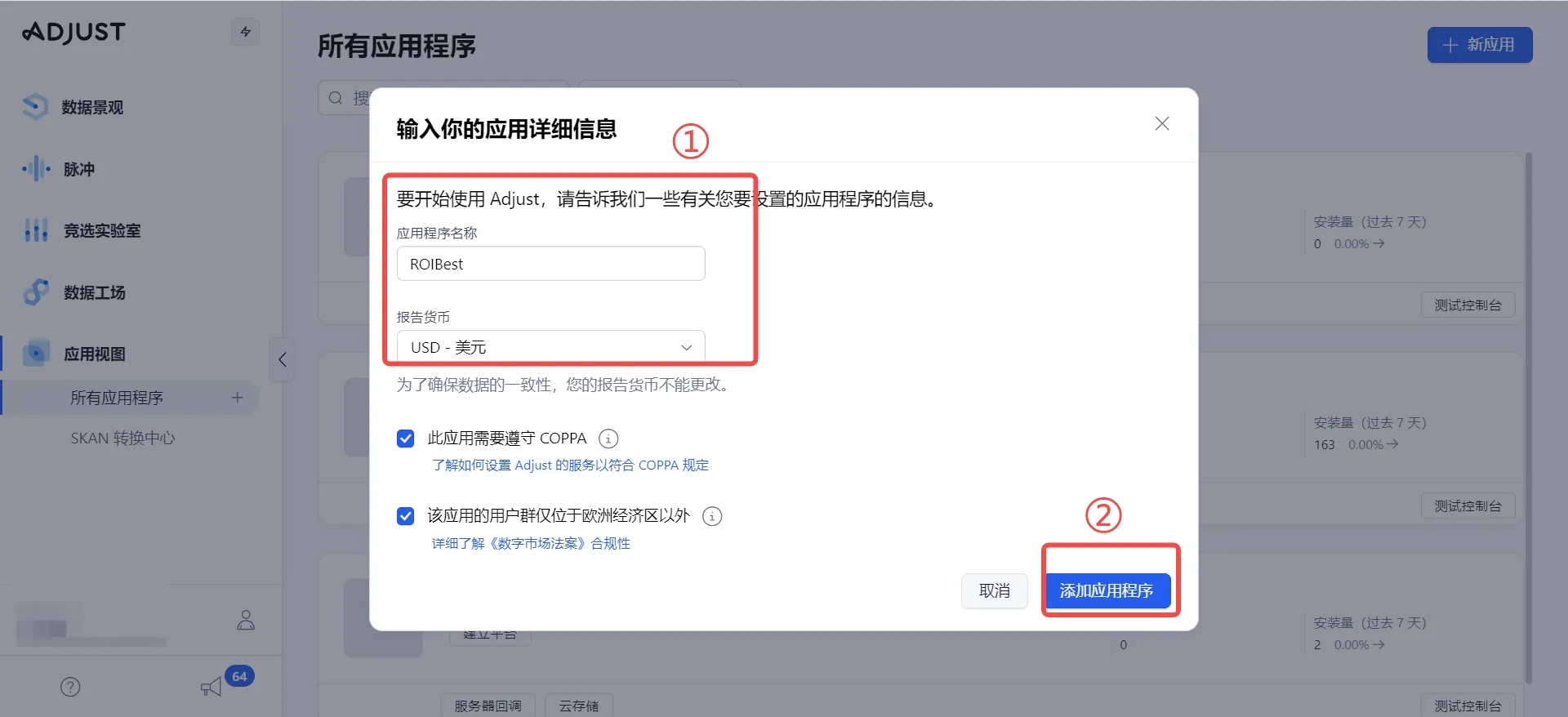
- Log in to the Adjust dashboard: https://www.adjust.com/ Go to AppView and find All Apps, then select + New App
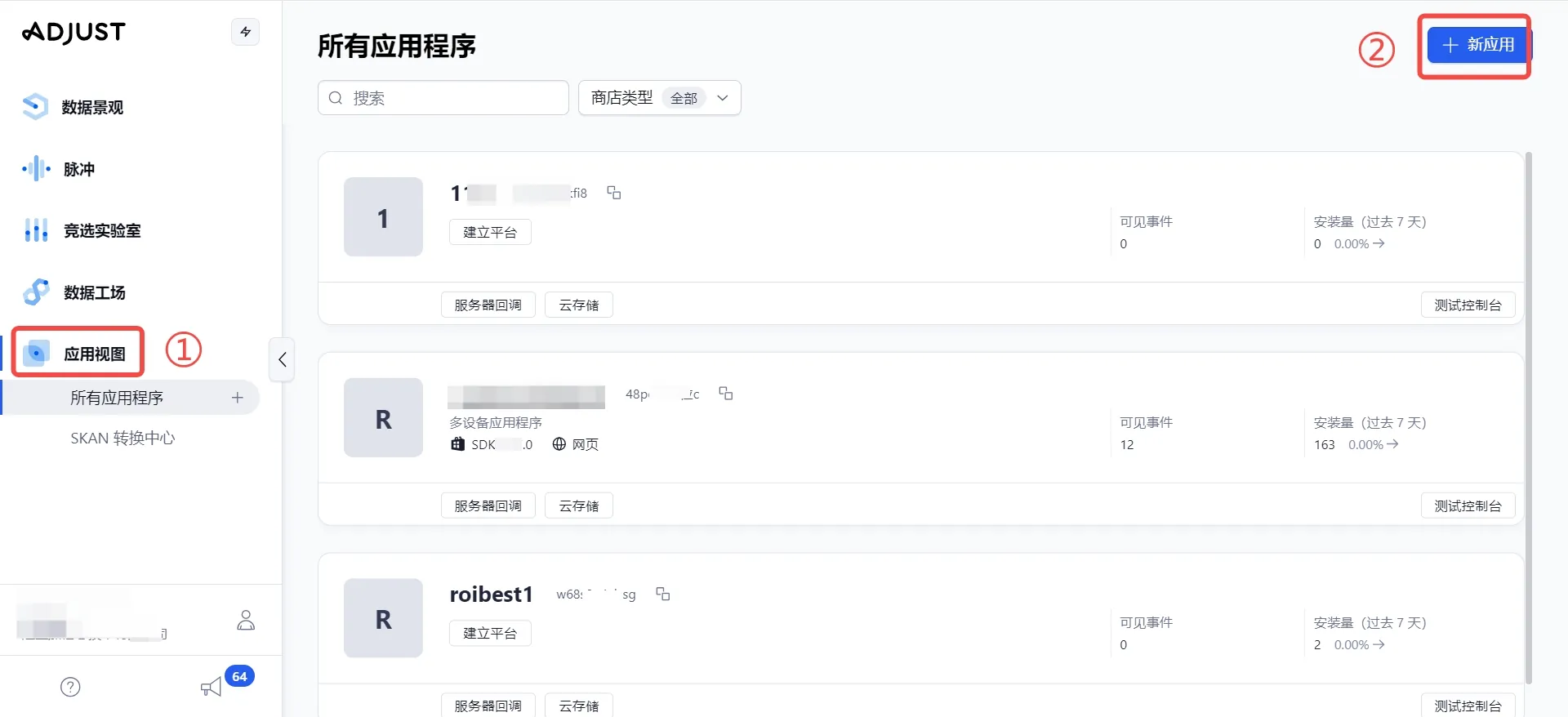
- Customize the app name, select the currency and relevant legal settings, then click Add App
Step 2 - Set Up the App Token
- After creation, copy the app token on the page
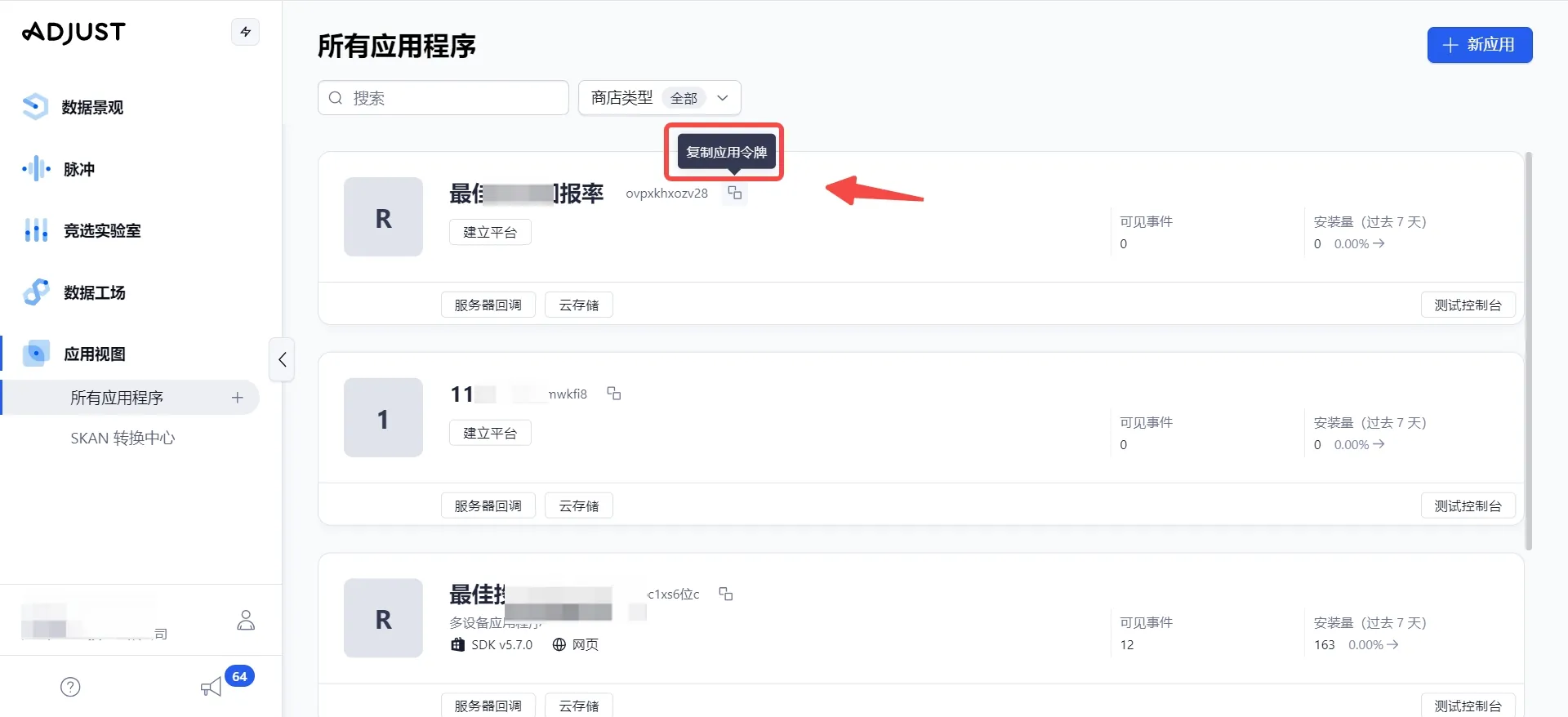
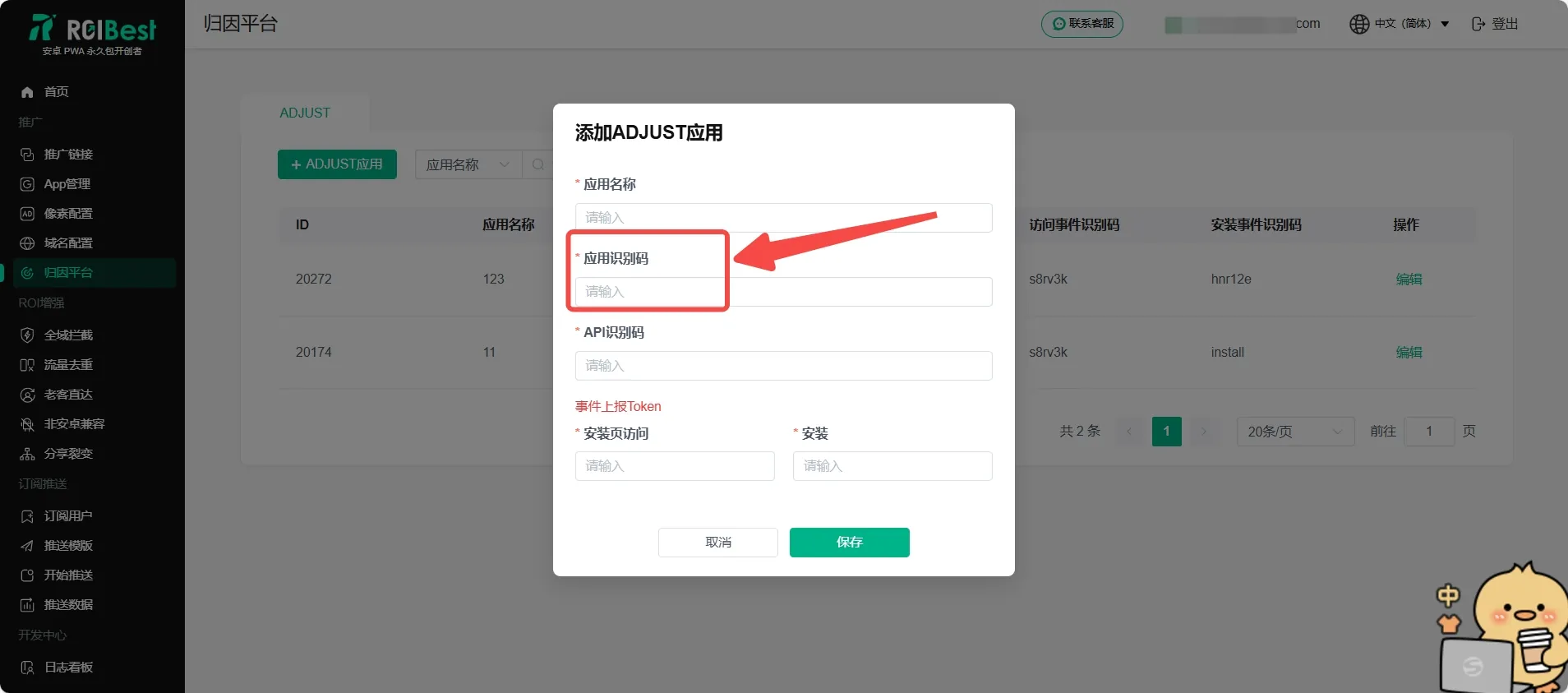
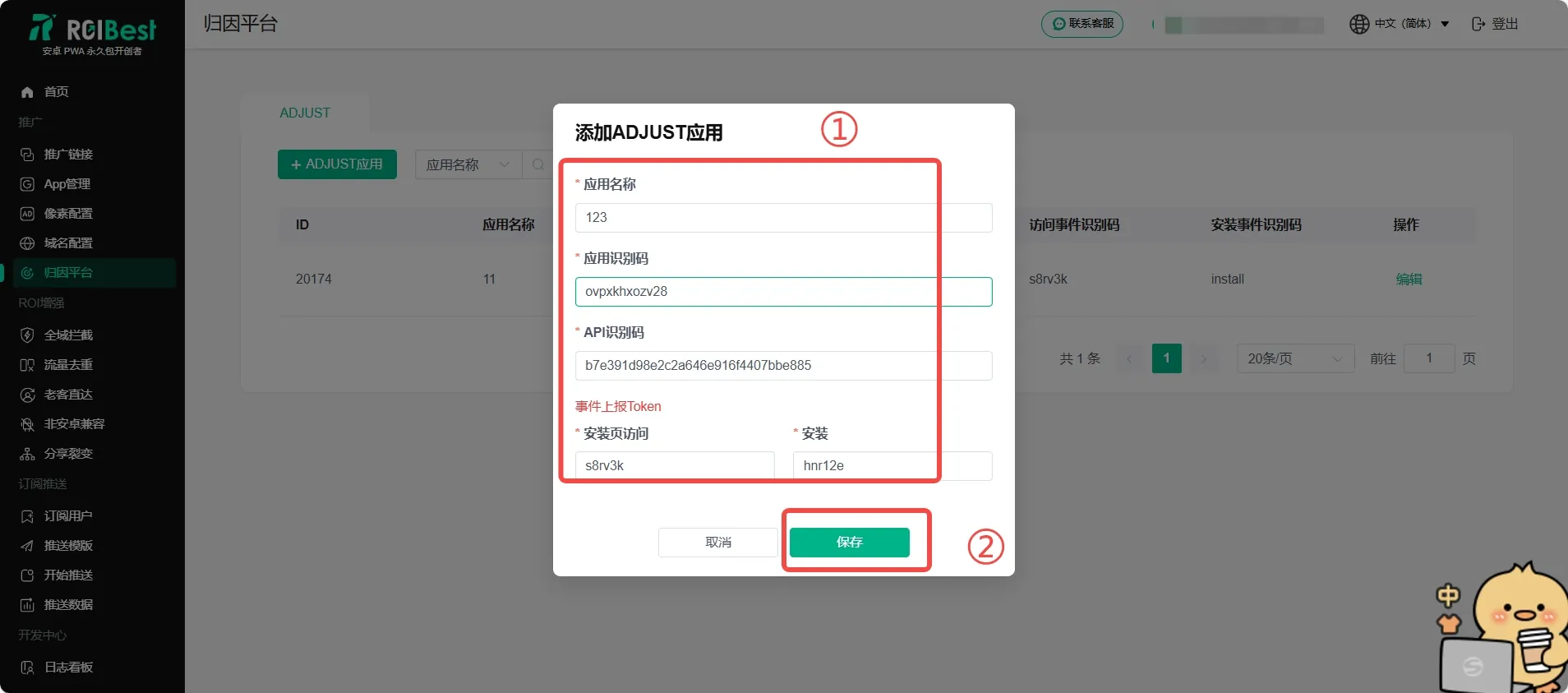
- Go to the ROIBest dashboard and navigate to Attribution Platform, click + ADJUST App, and paste the app token you copied into the App Token field
Step 3 - Set Up the API Token
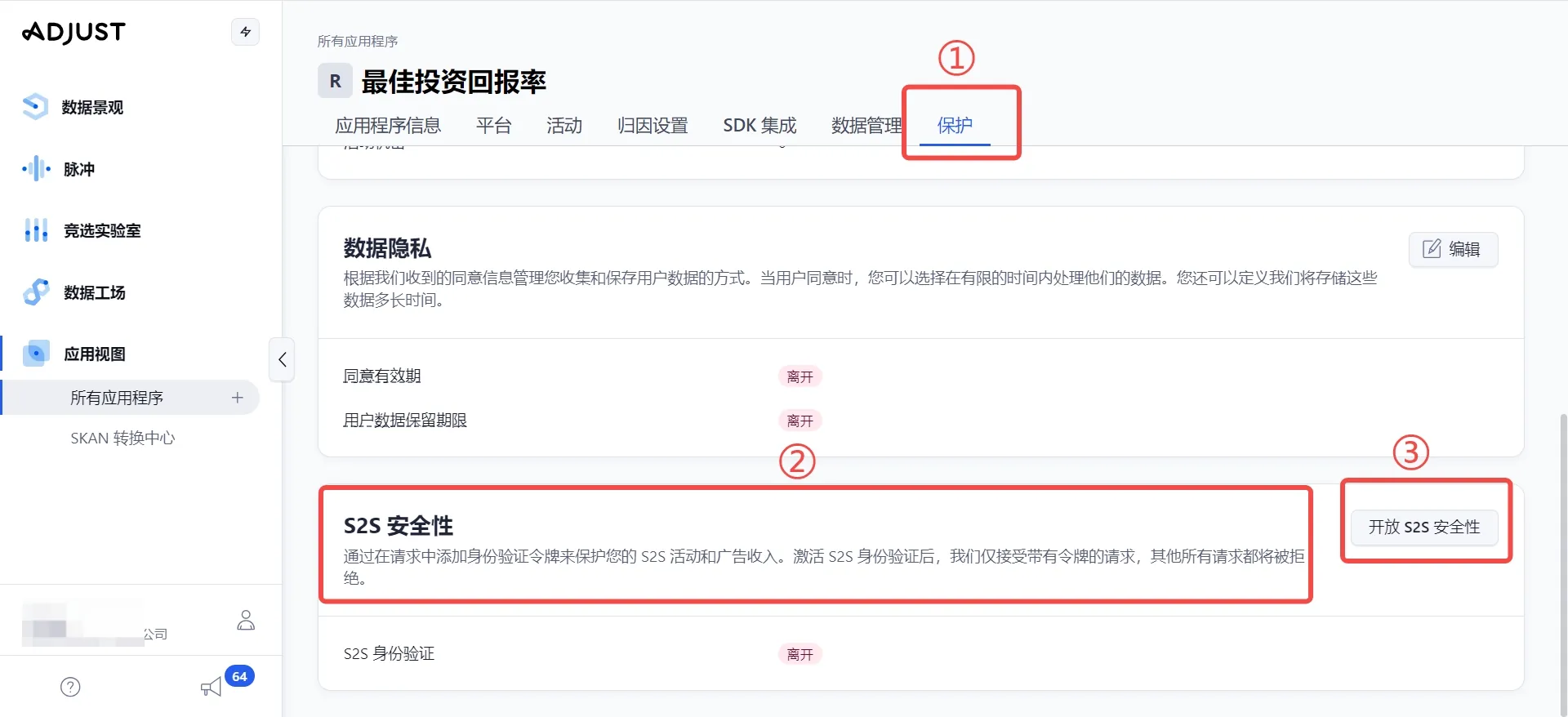
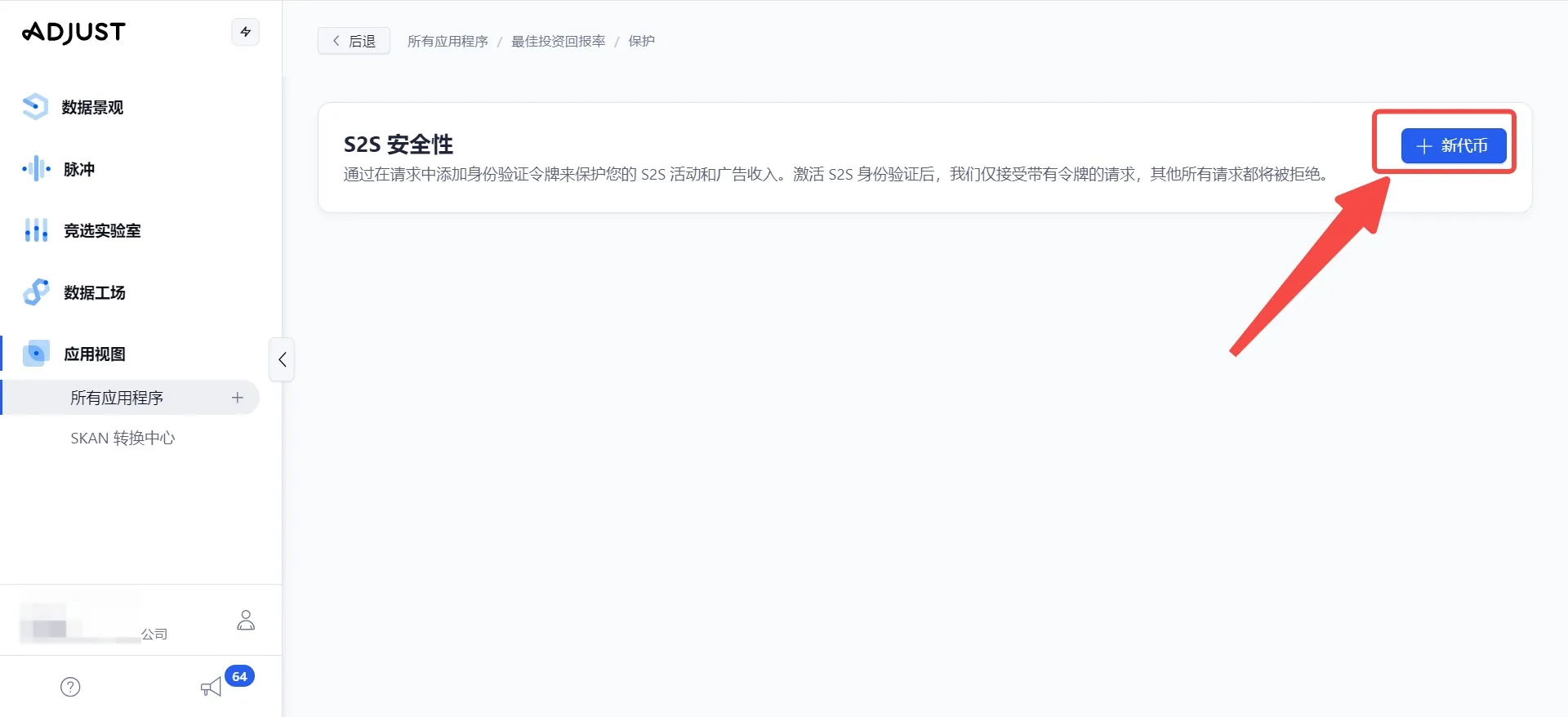
- Go back to the Adjust page, scroll down to S2S Security under the Protection section, and click Enable S2S Security
- Click + New Token
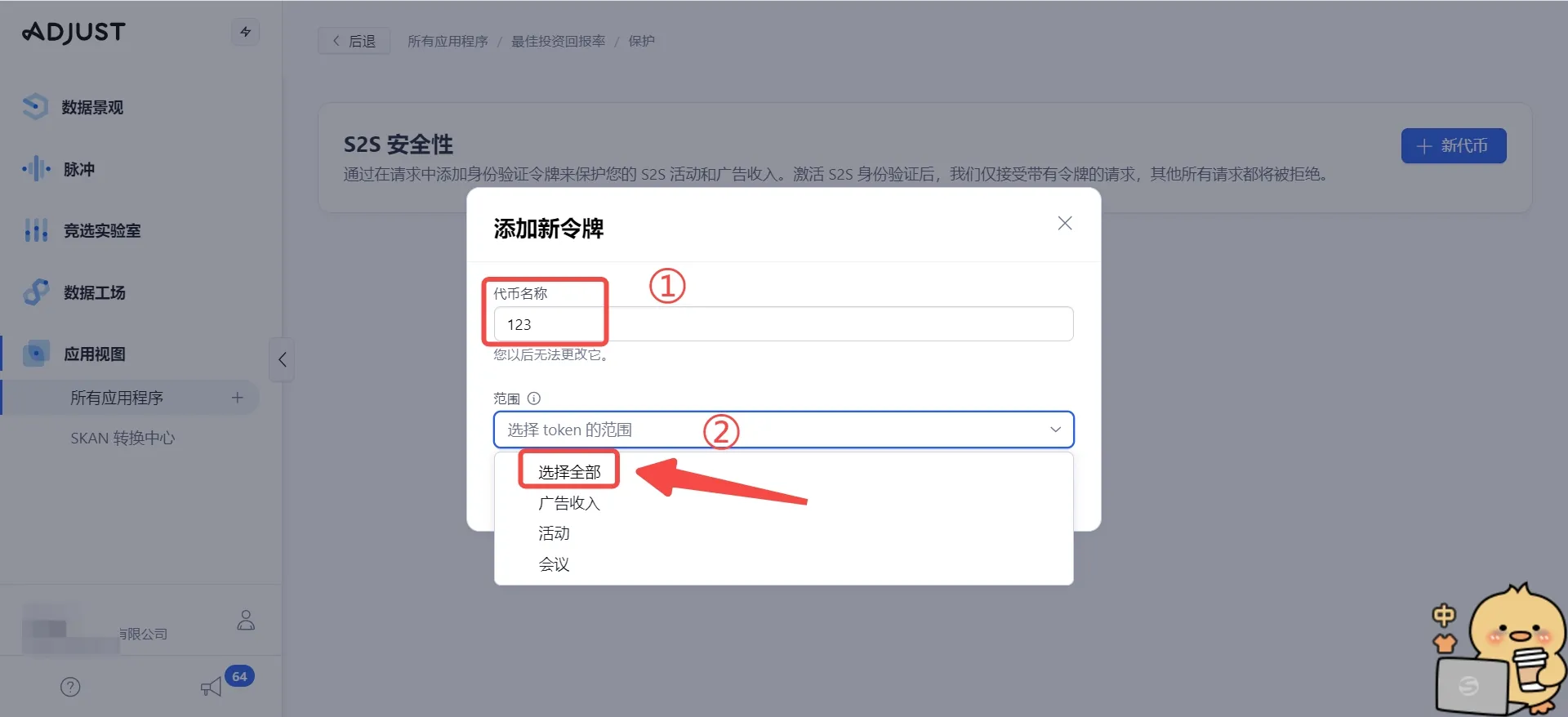
- Customize the token name and select all scopes
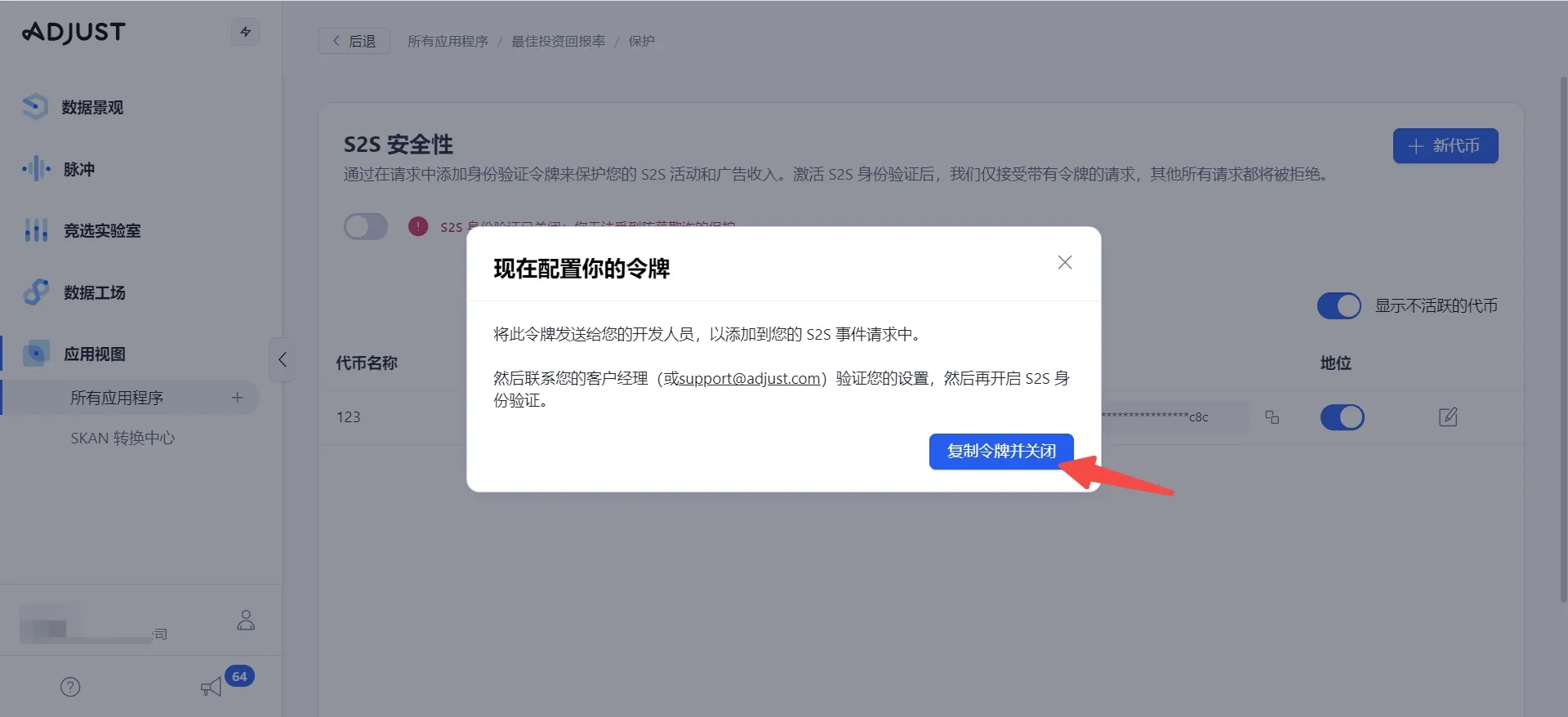
- Click Copy Token and Close
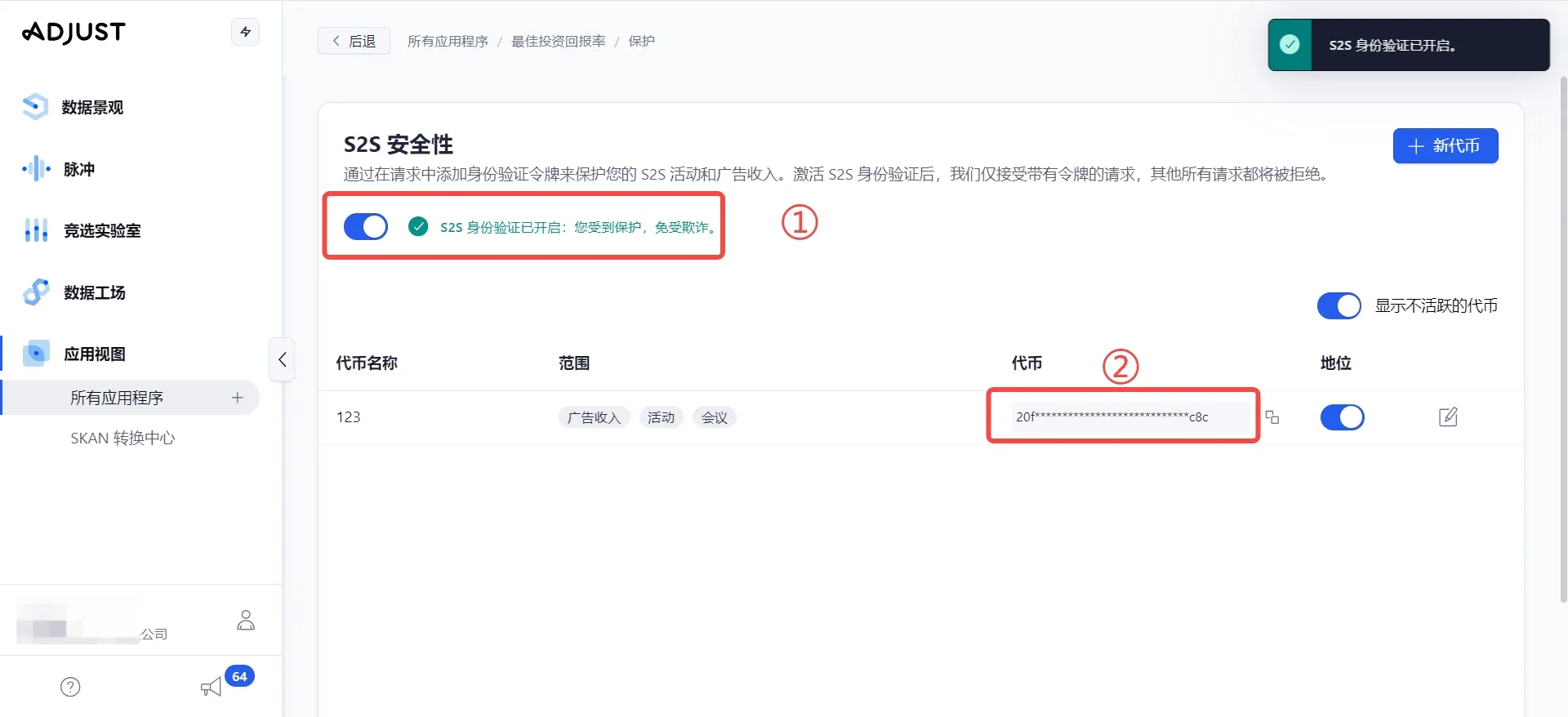
- Toggle on S2S Security at ① and copy the token at ②
- Go back to the ROIBest dashboard's Adjust configuration page and paste the token into the API Token field
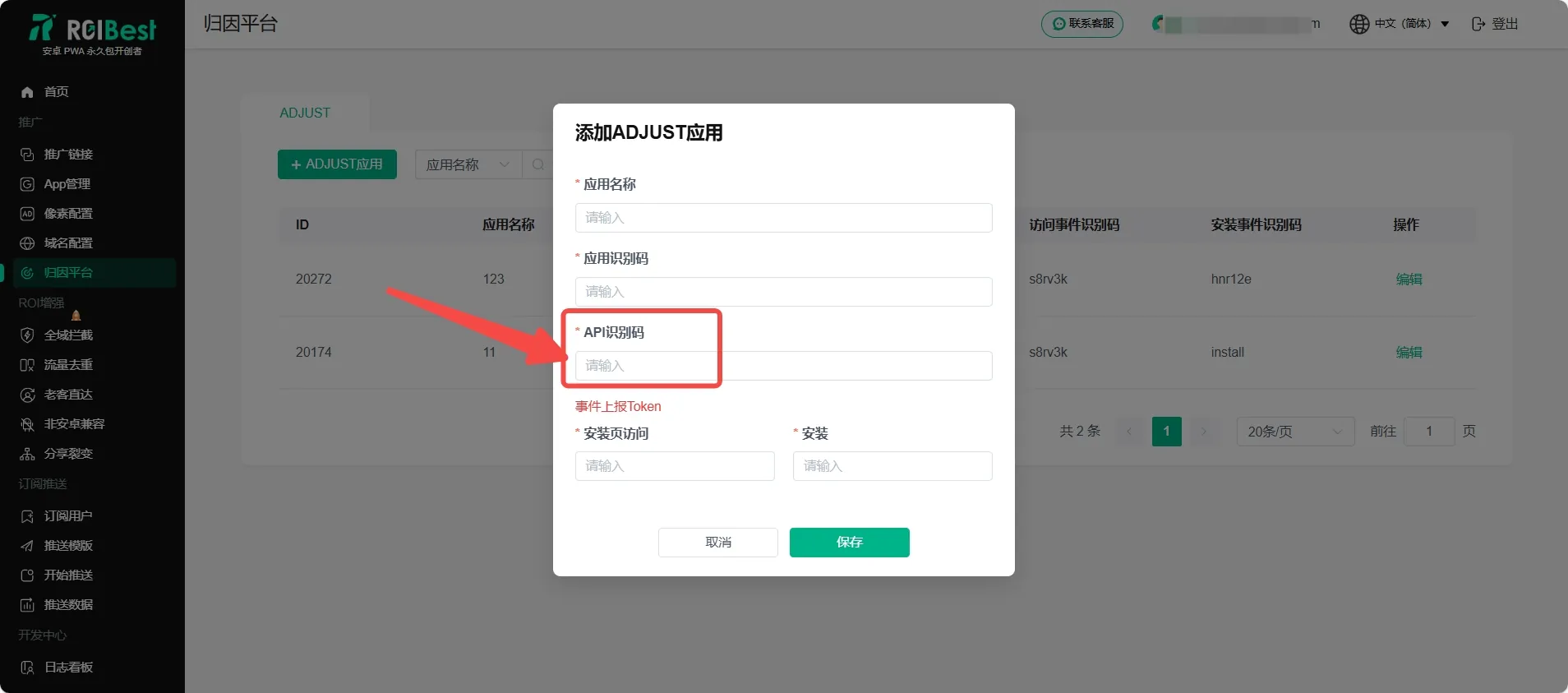
Step 4 - Set Up Landing Page Visit / Install Event Reporting
- Go back to the Adjust page, find the Events section, and click + Add Event
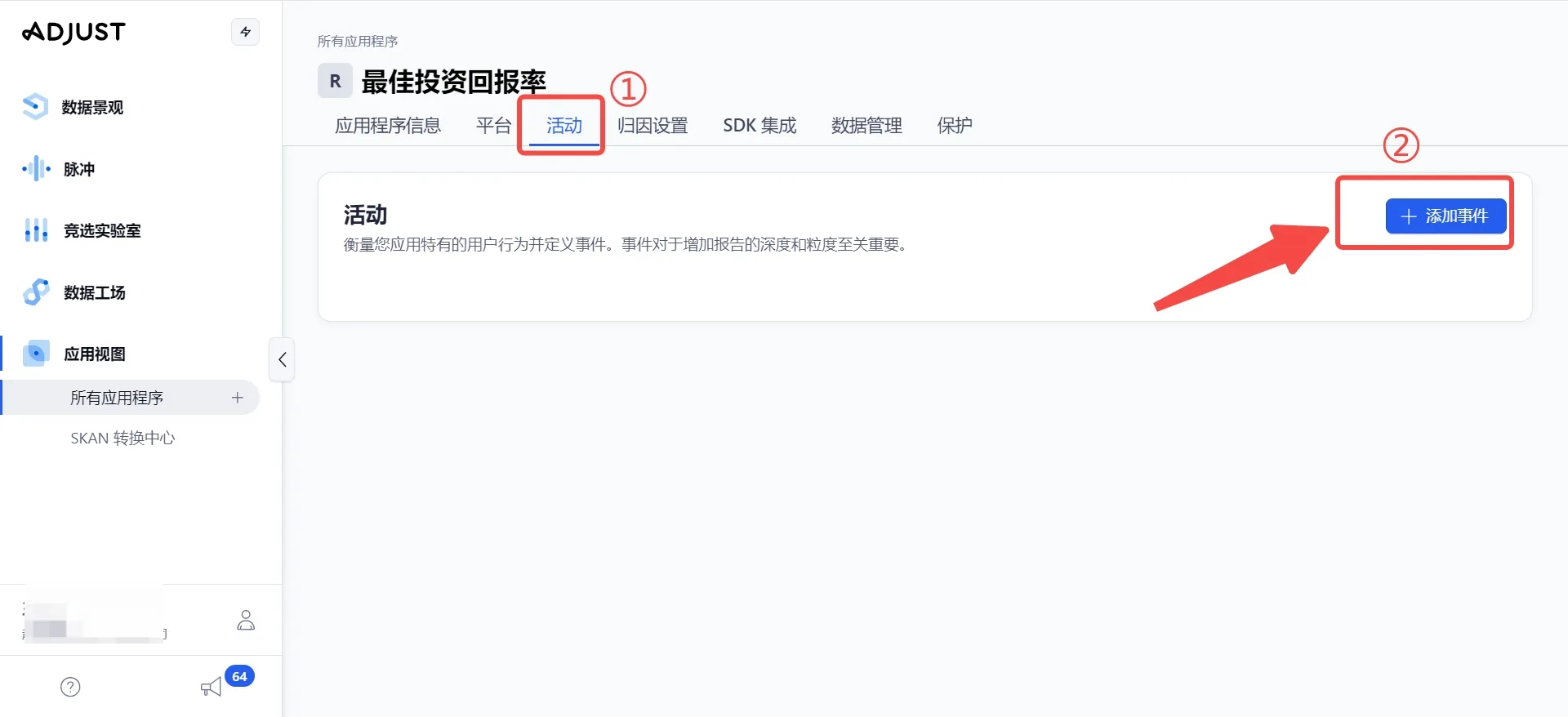
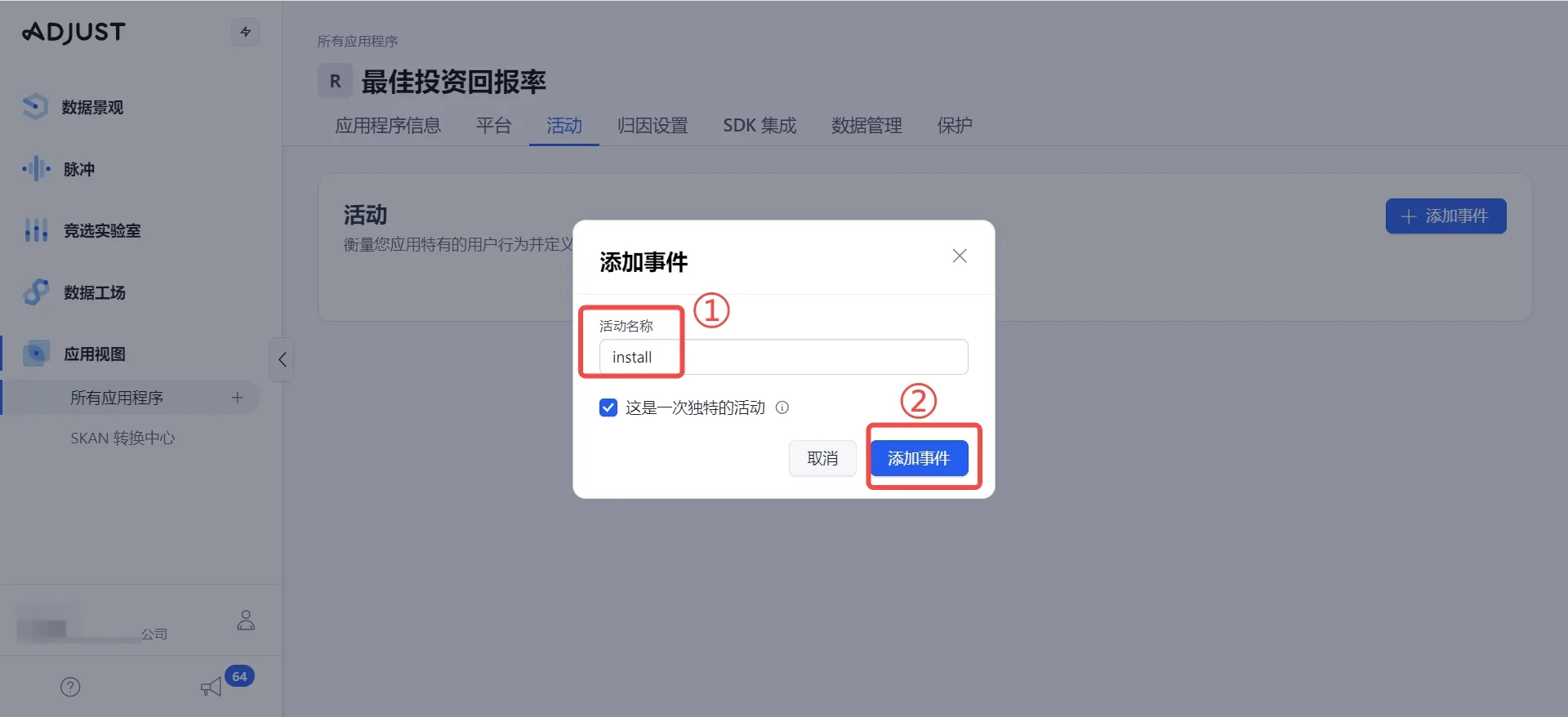
- Enter
installas the event name and click Add Event
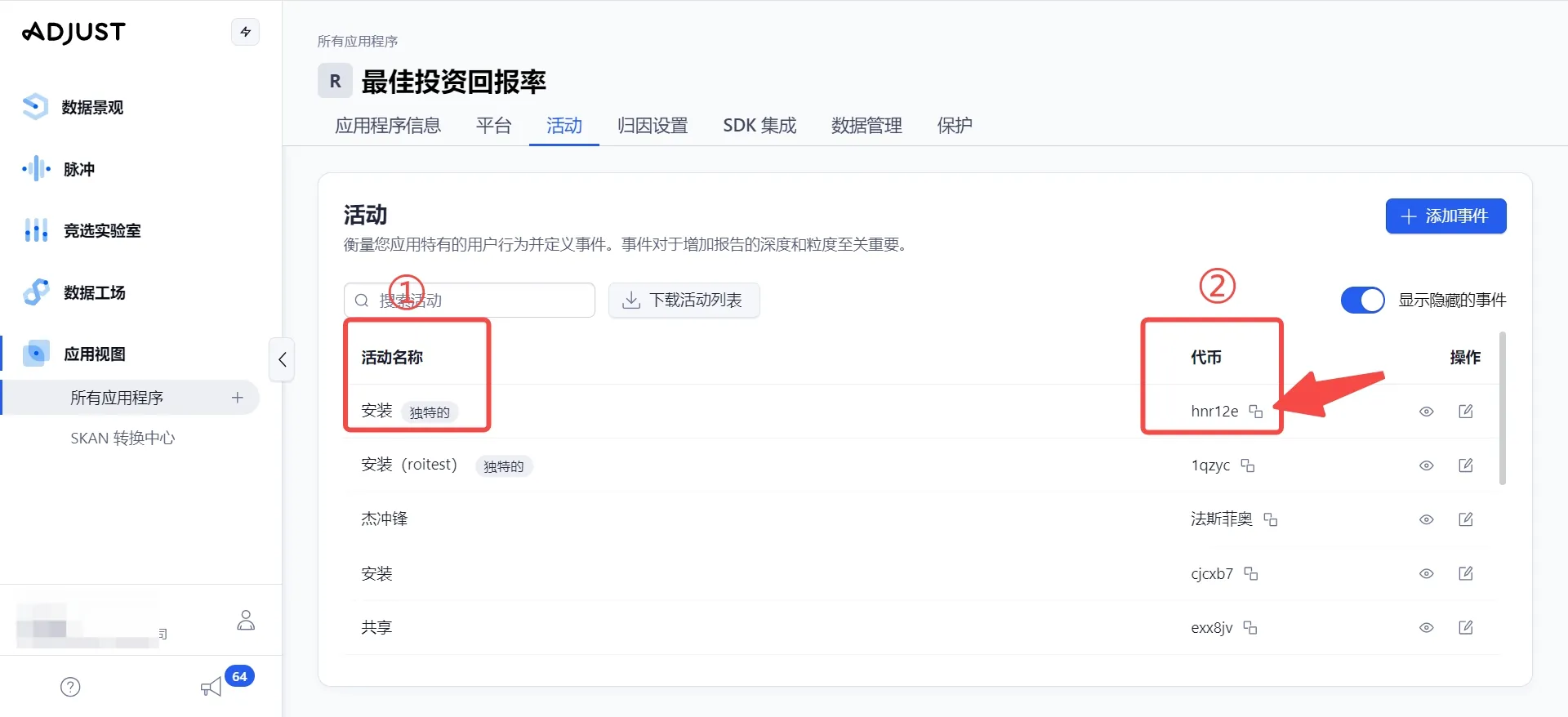
- Find the
installevent you just created on the Events page and copy its event token
- Paste the event token into the Install field on the ROIBest dashboard
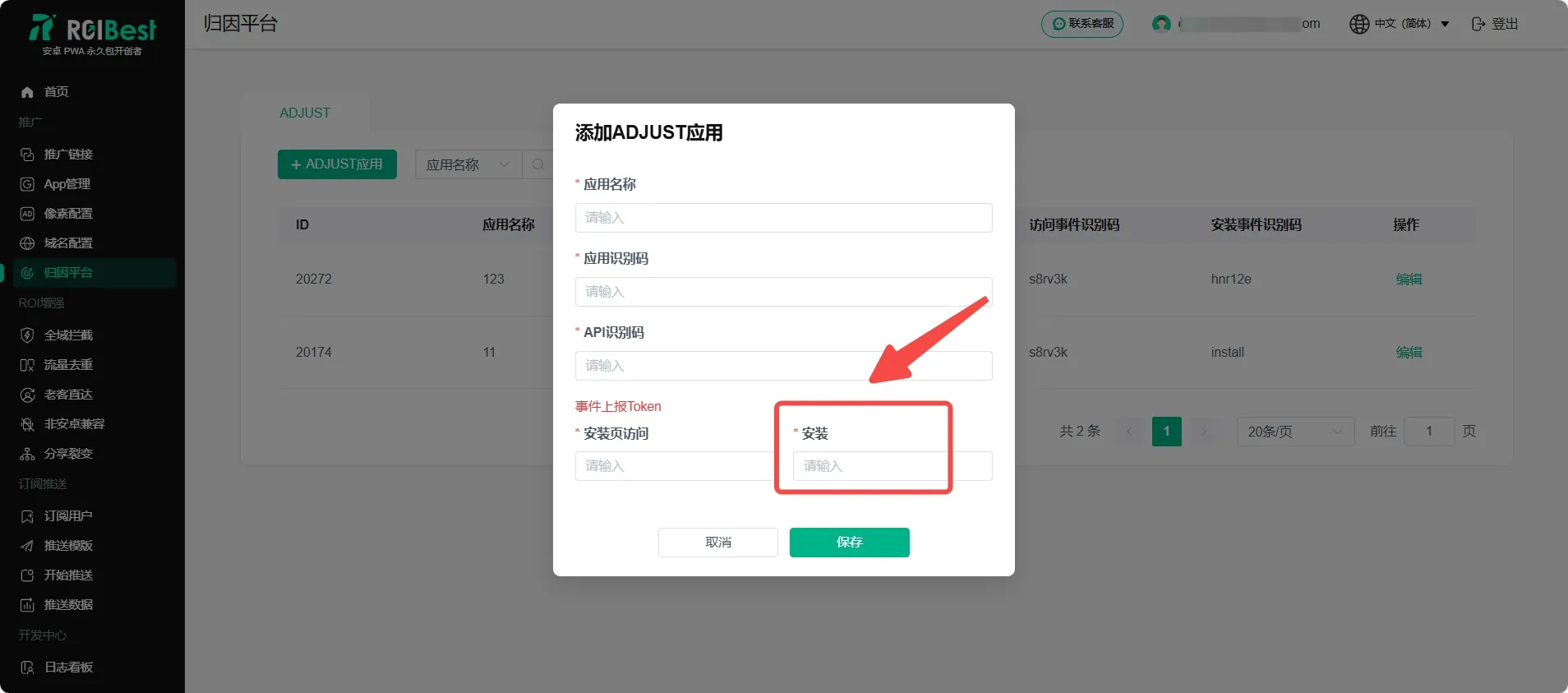
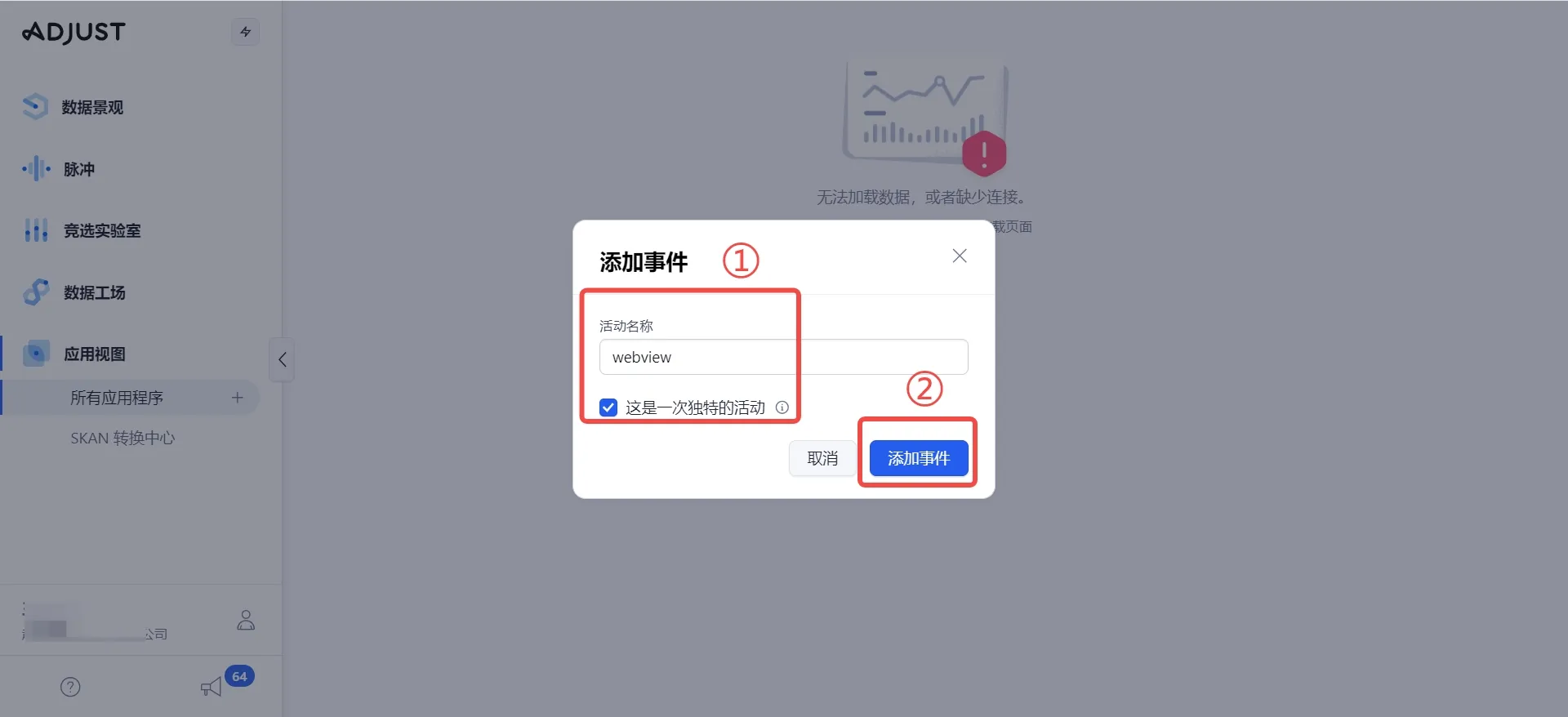
- Go back to the Adjust dashboard and add another event with the name
webview, then click Add Event
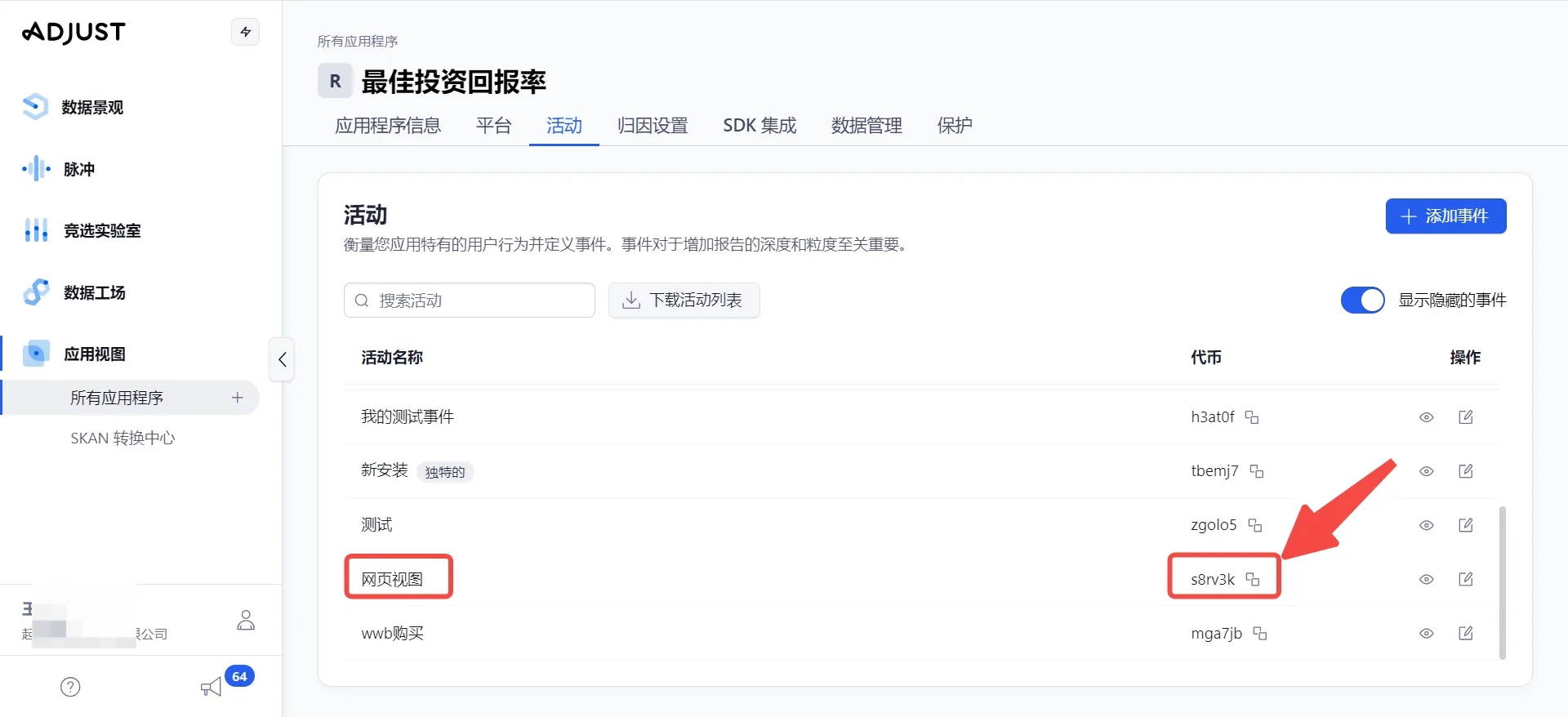
- Find the
webviewevent you just created on the Events page and copy its event token
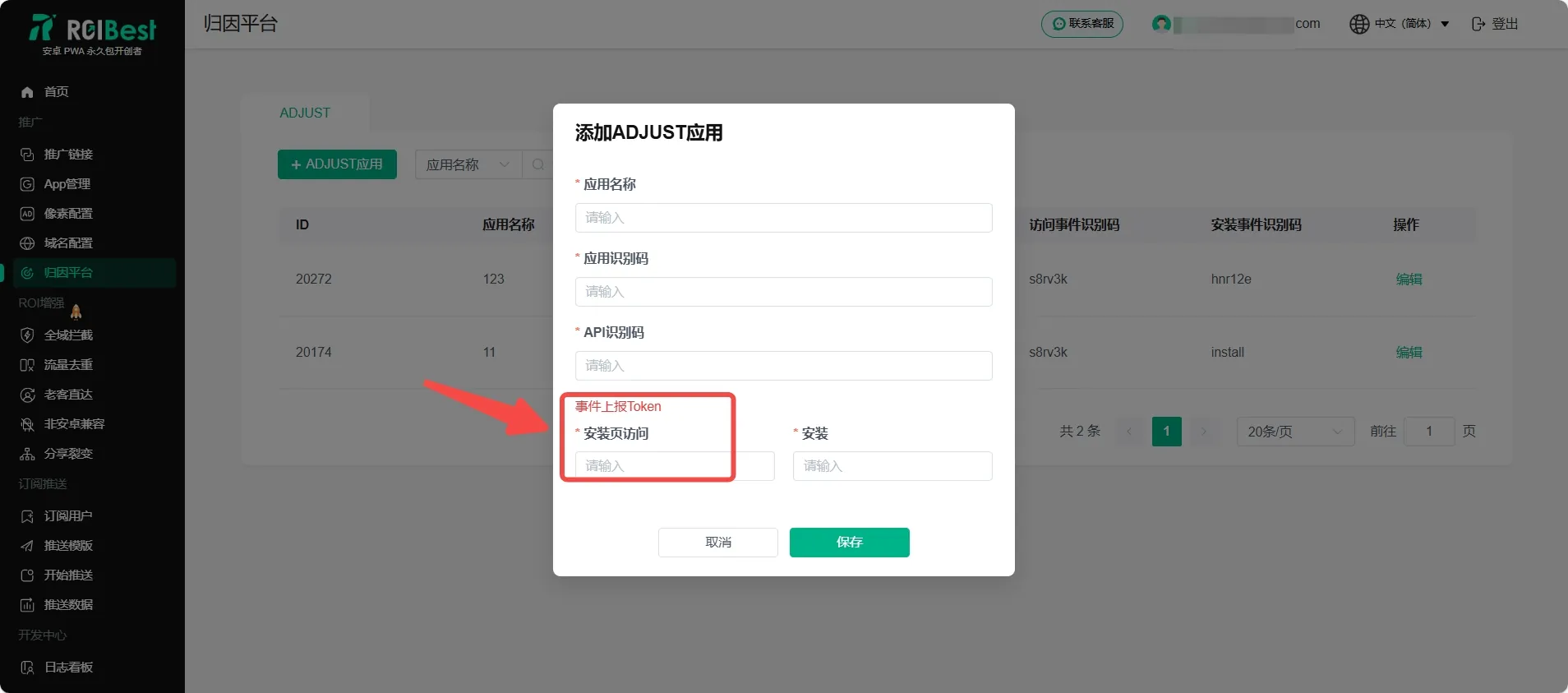
- Paste the event token into the Landing Page Visit field on the ROIBest dashboard
- After filling in all the fields on the ROIBest dashboard following the steps above, click Save to complete the configuration
Step 5 - Enable Adjust Web Attribution
- Provide your white-label / self-developed product domain (not the ROIBest domain) and the app token to the Adjust support team to enable web attribution. Contact the Adjust support team for detailed instructions.
Step 6 - Configure Adjust Attribution
Method 1: Integrate via Adjust Partner Platforms (Use this method for FB, OKspin, etc.)
- In Campaign Lab, select Partner Deals and click + New Partner
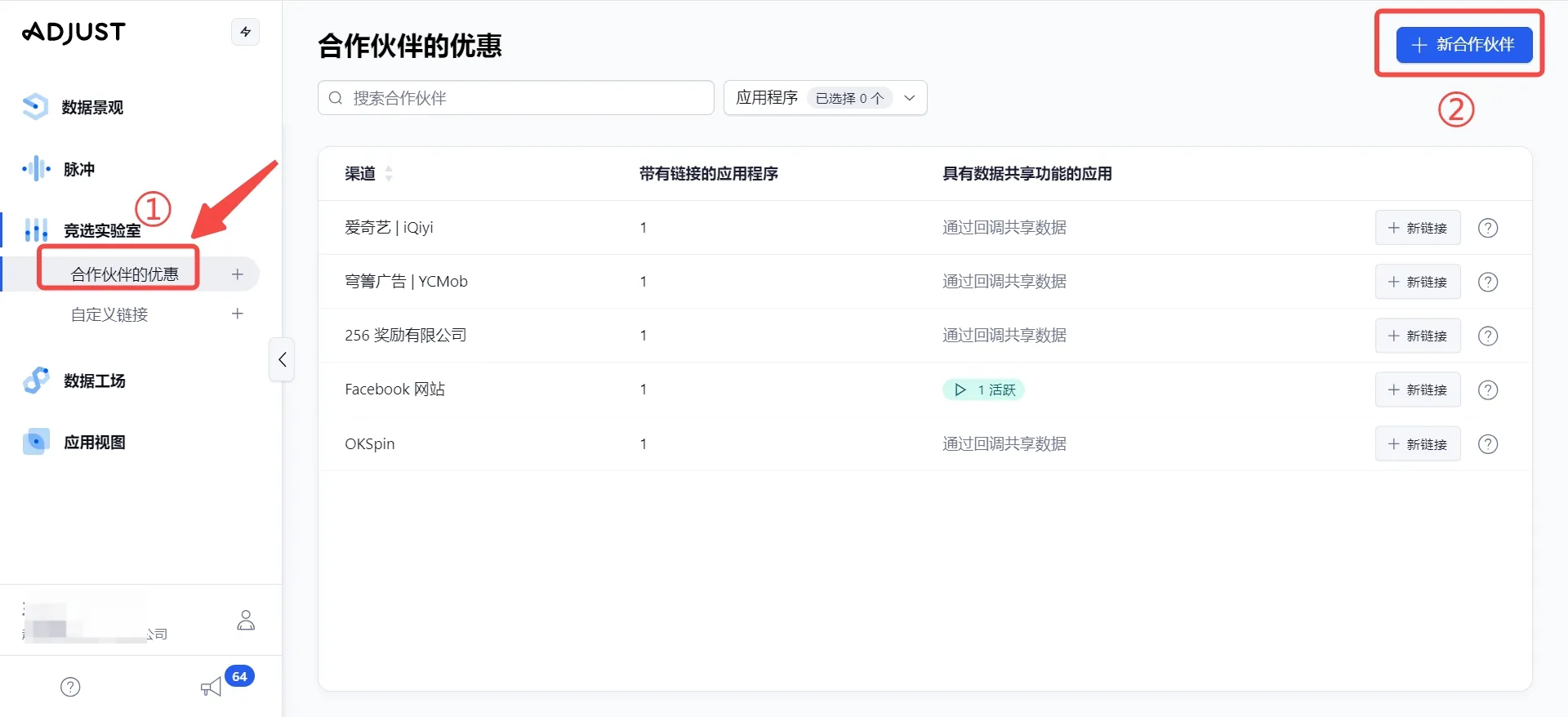
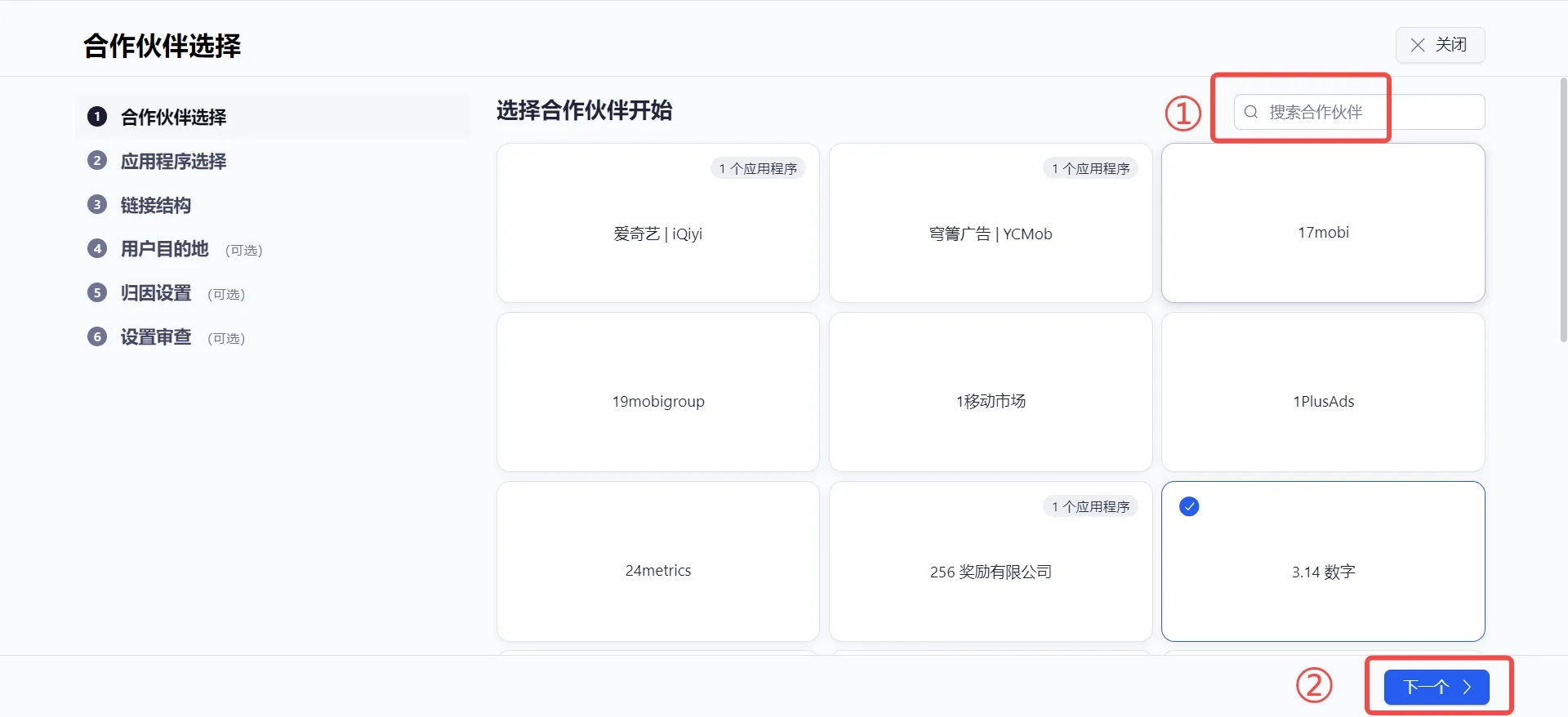
- Select the media platform (e.g., FB, OKspin), then click Next
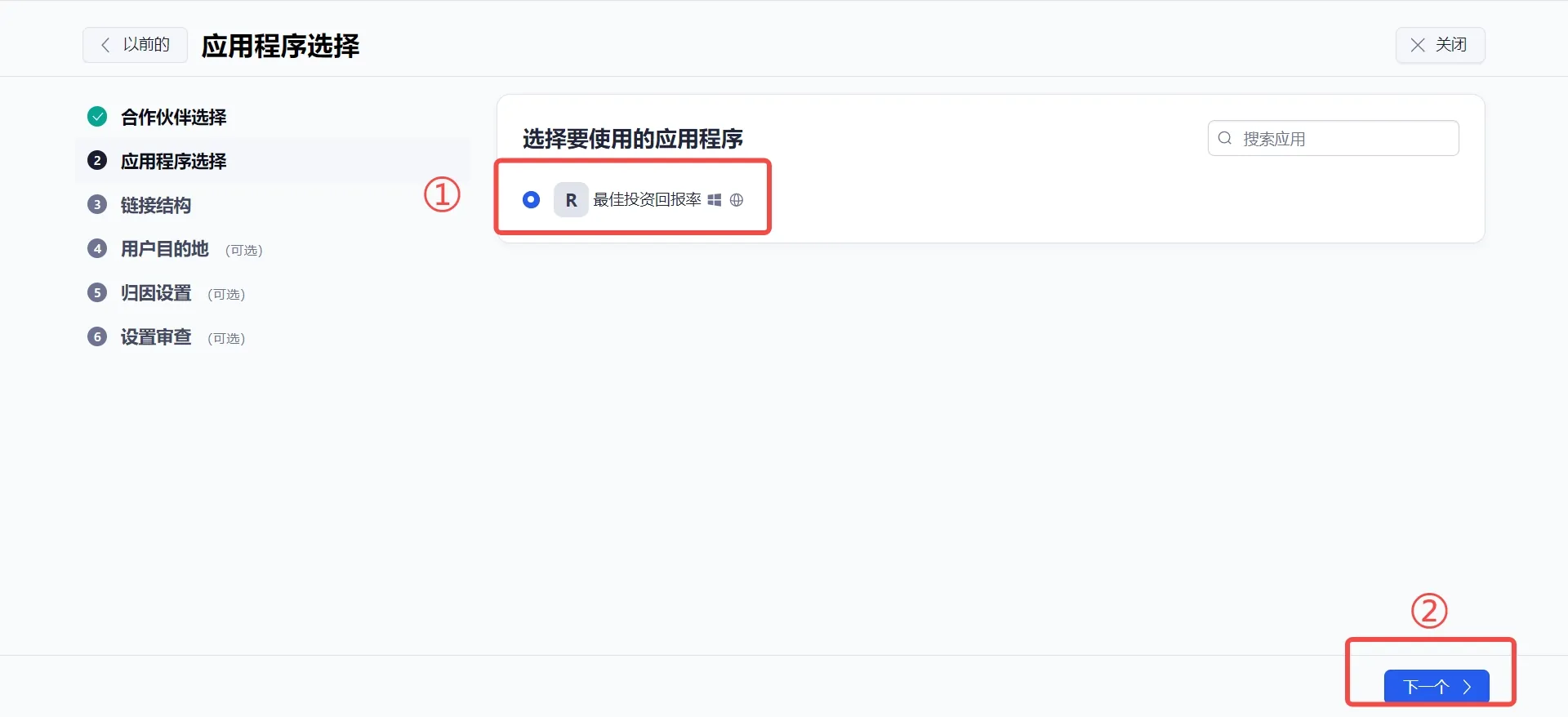
- Select the app you want to advertise, then click Next
- Customize the link name, then click Next
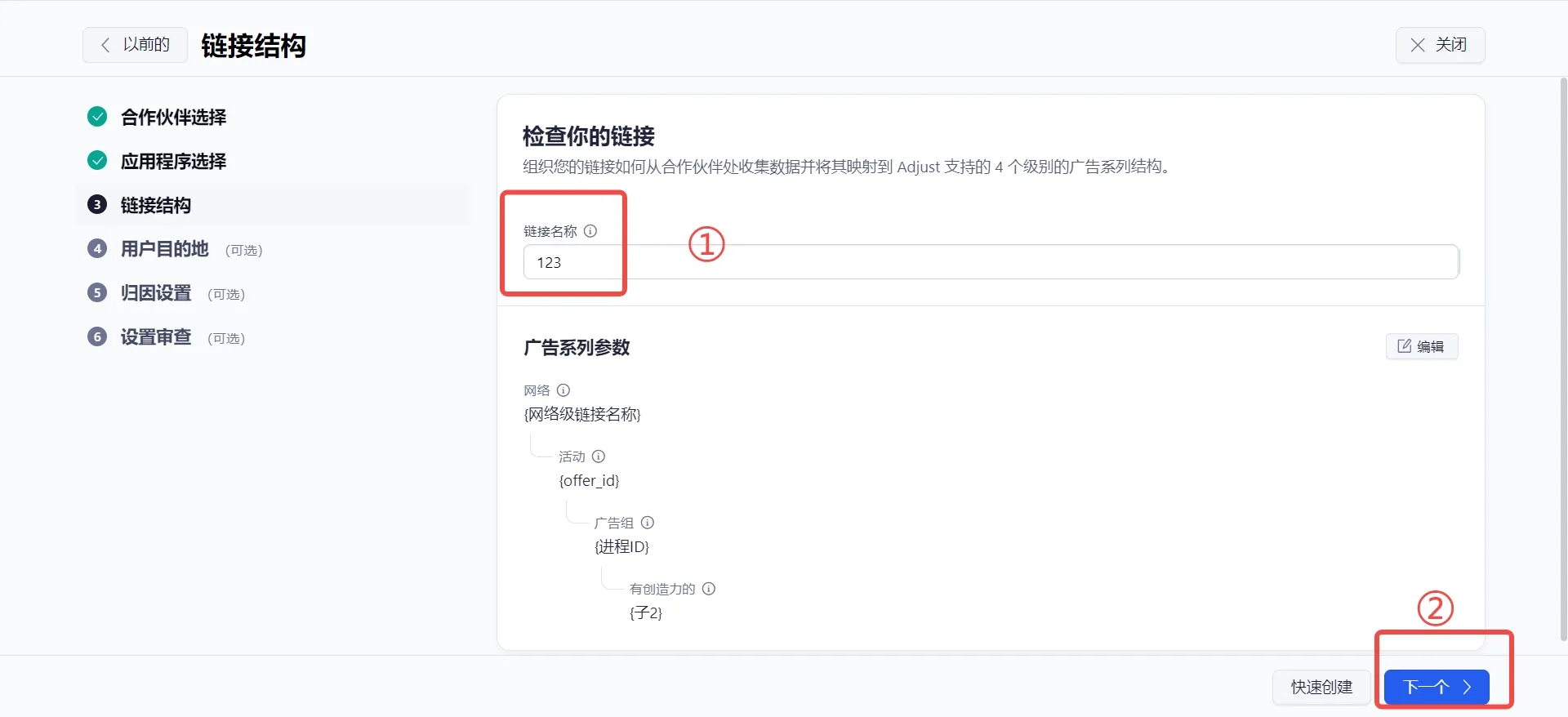
- Configure the page content as needed, then click Next
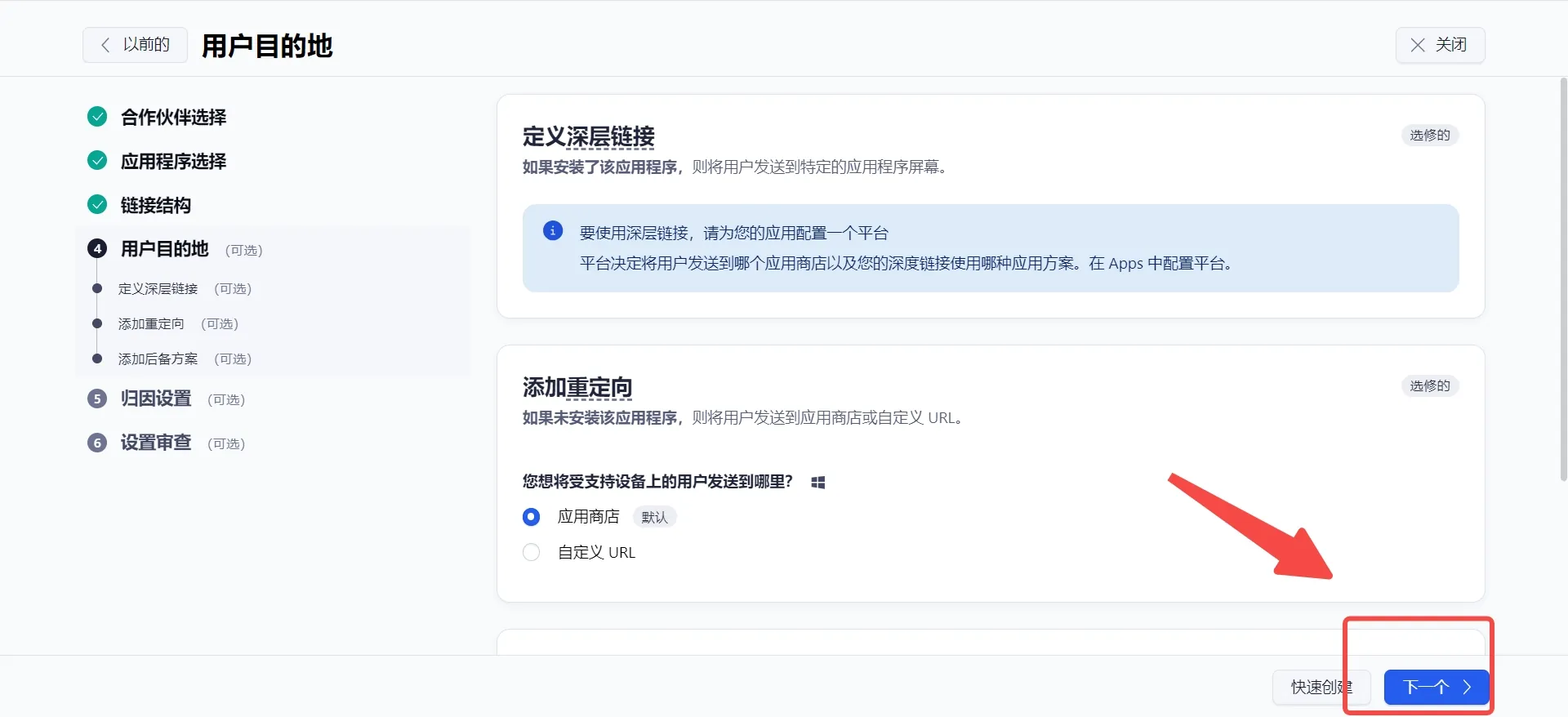
- Configure the attribution settings as needed, then click Next
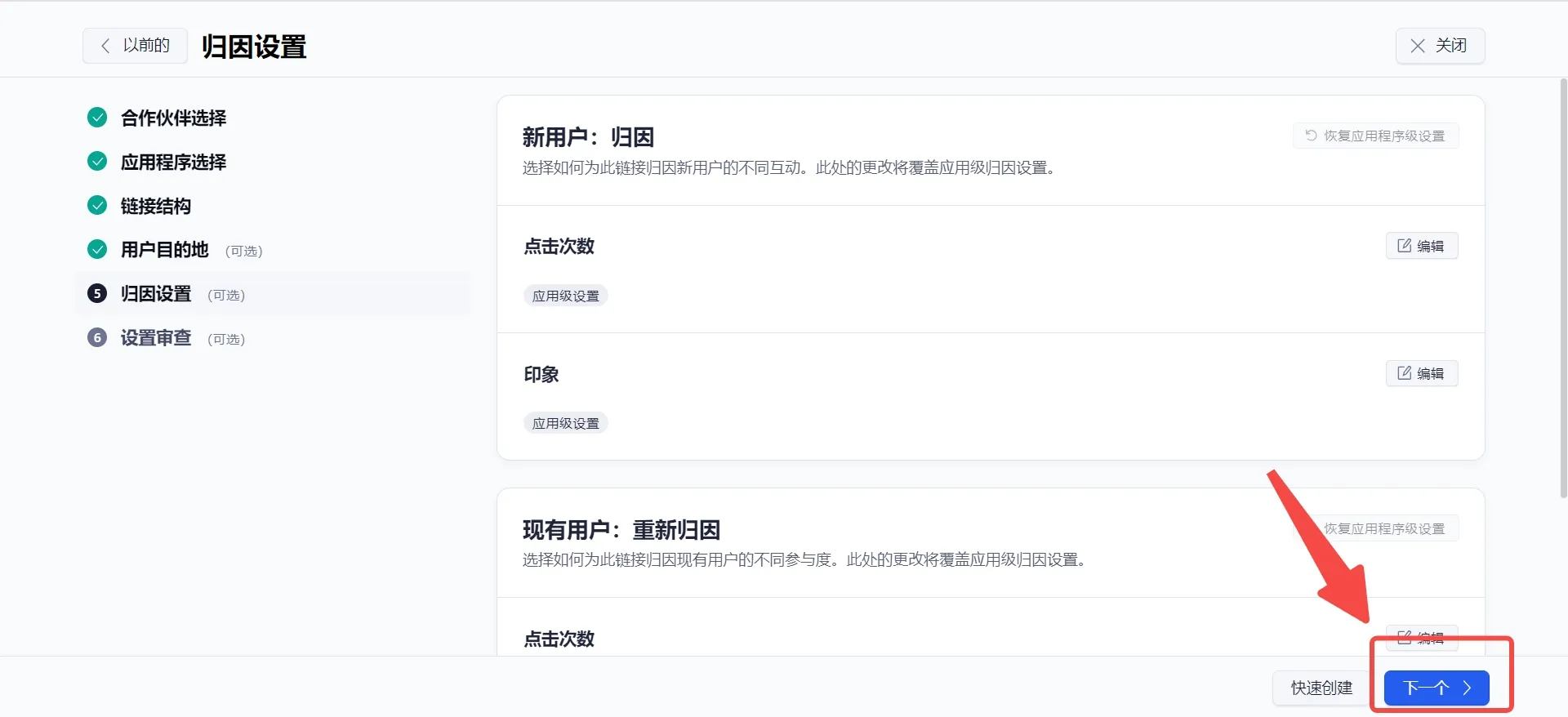
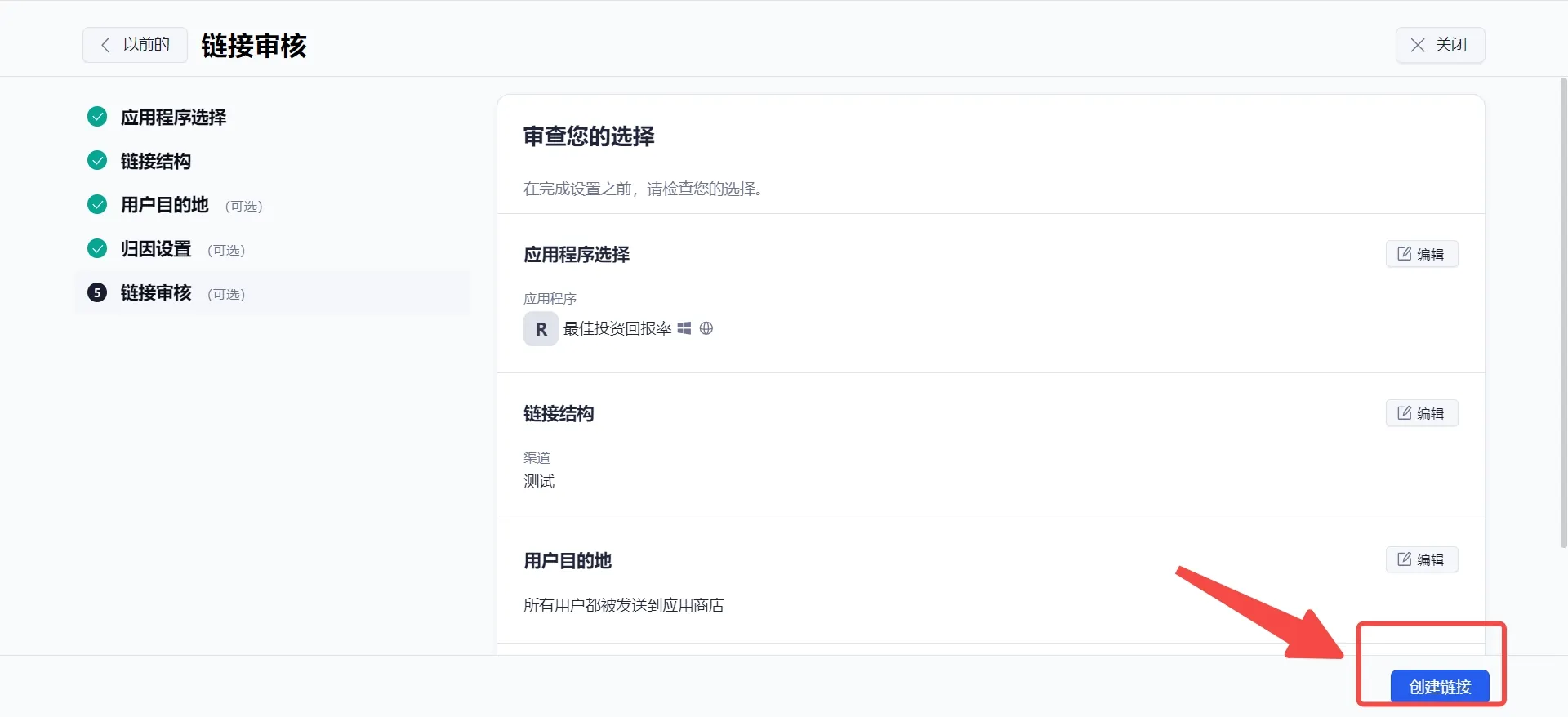
- Verify that all information is correct, then click Create Link
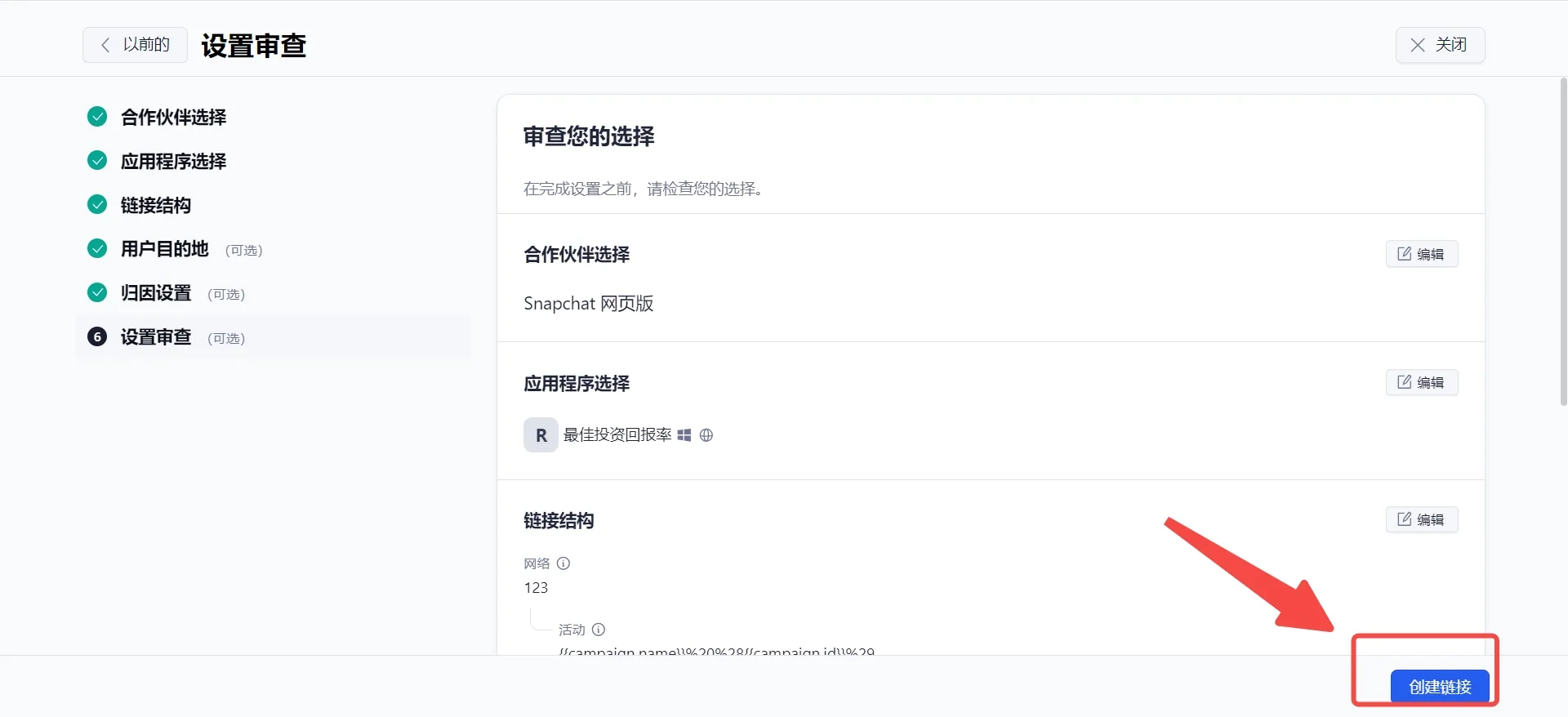
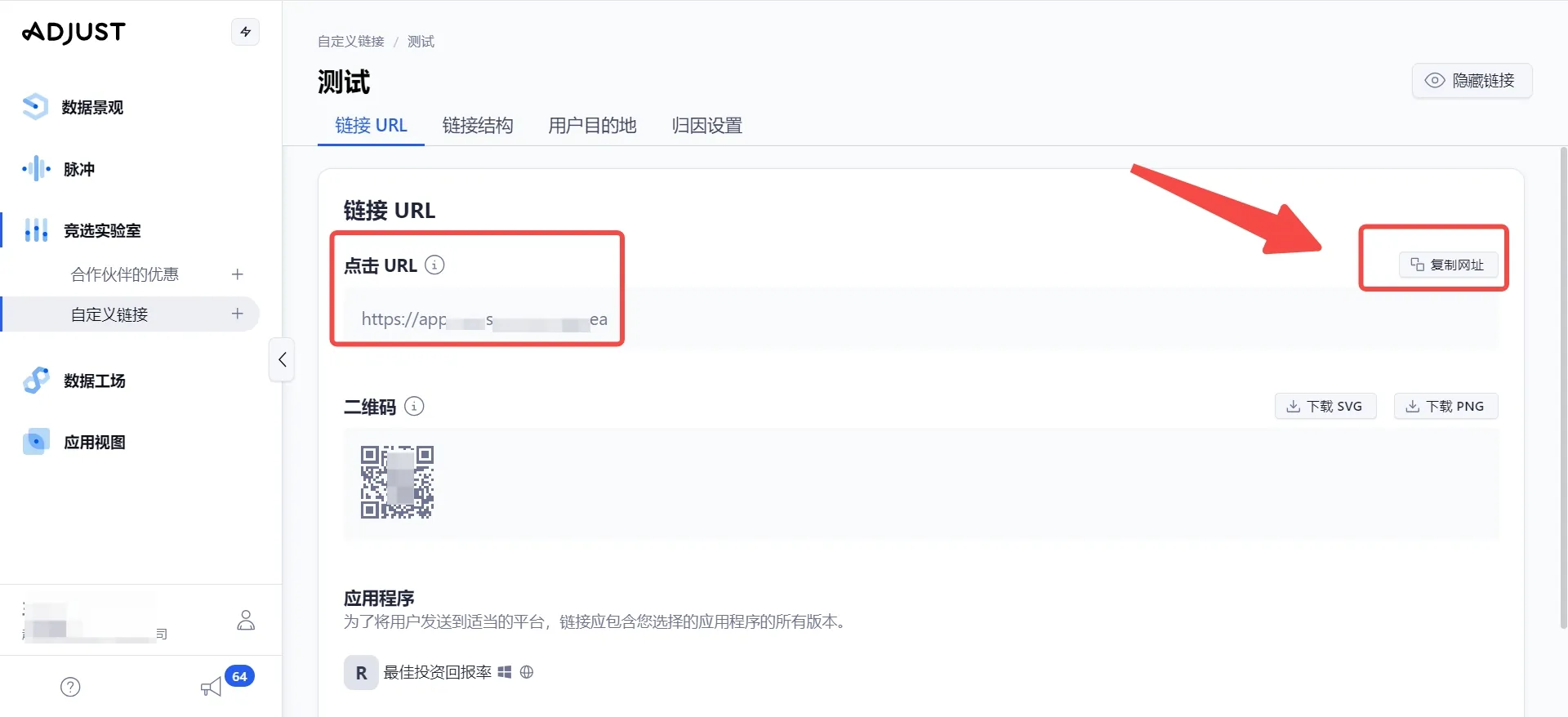
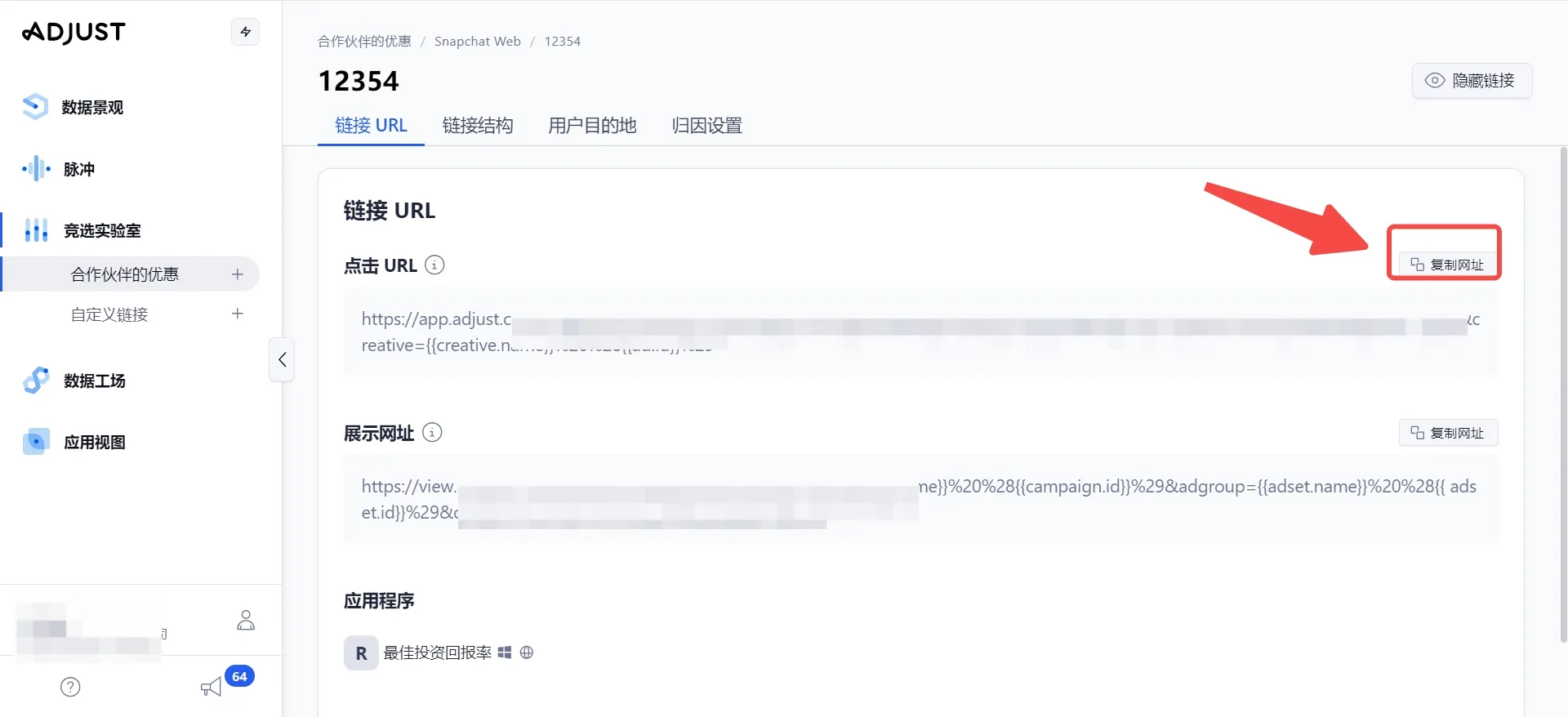
- Click Copy URL and paste it into the ROIBest dashboard
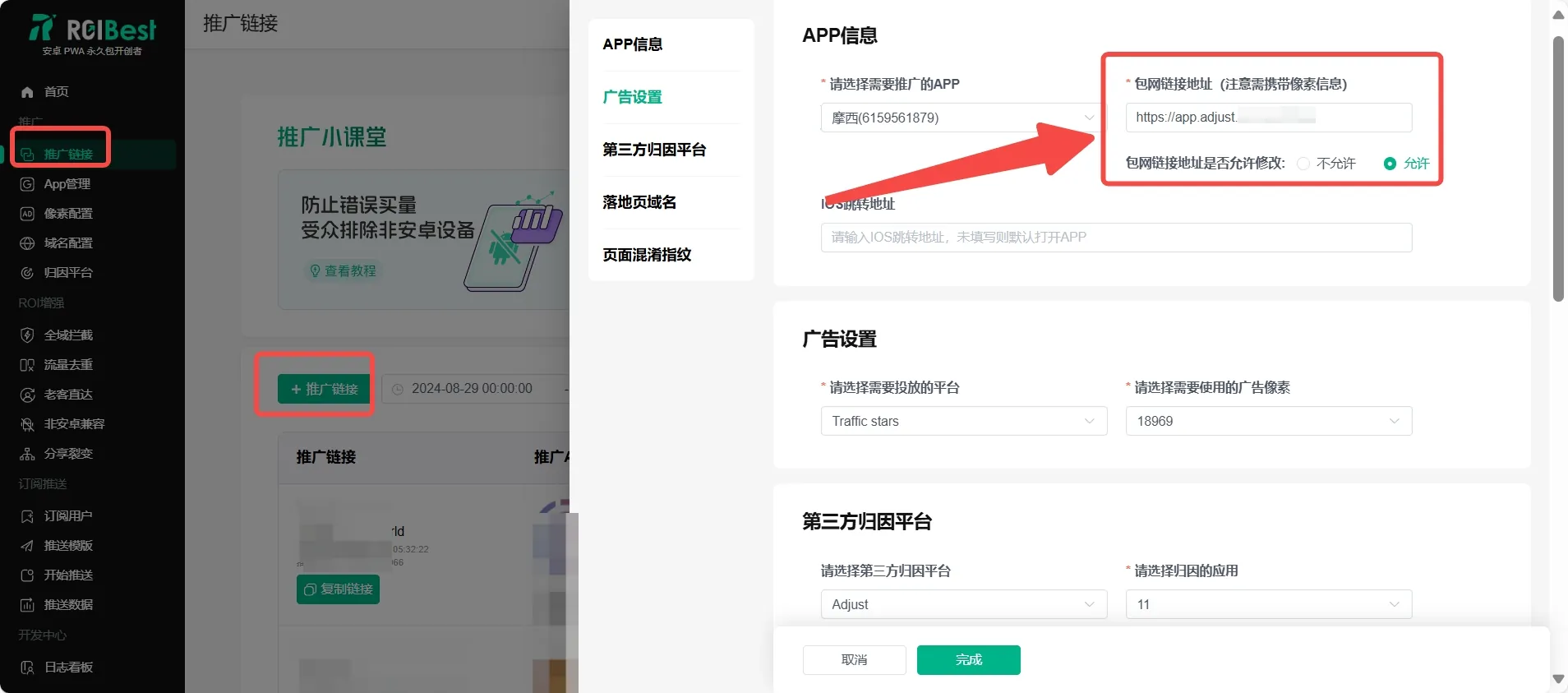
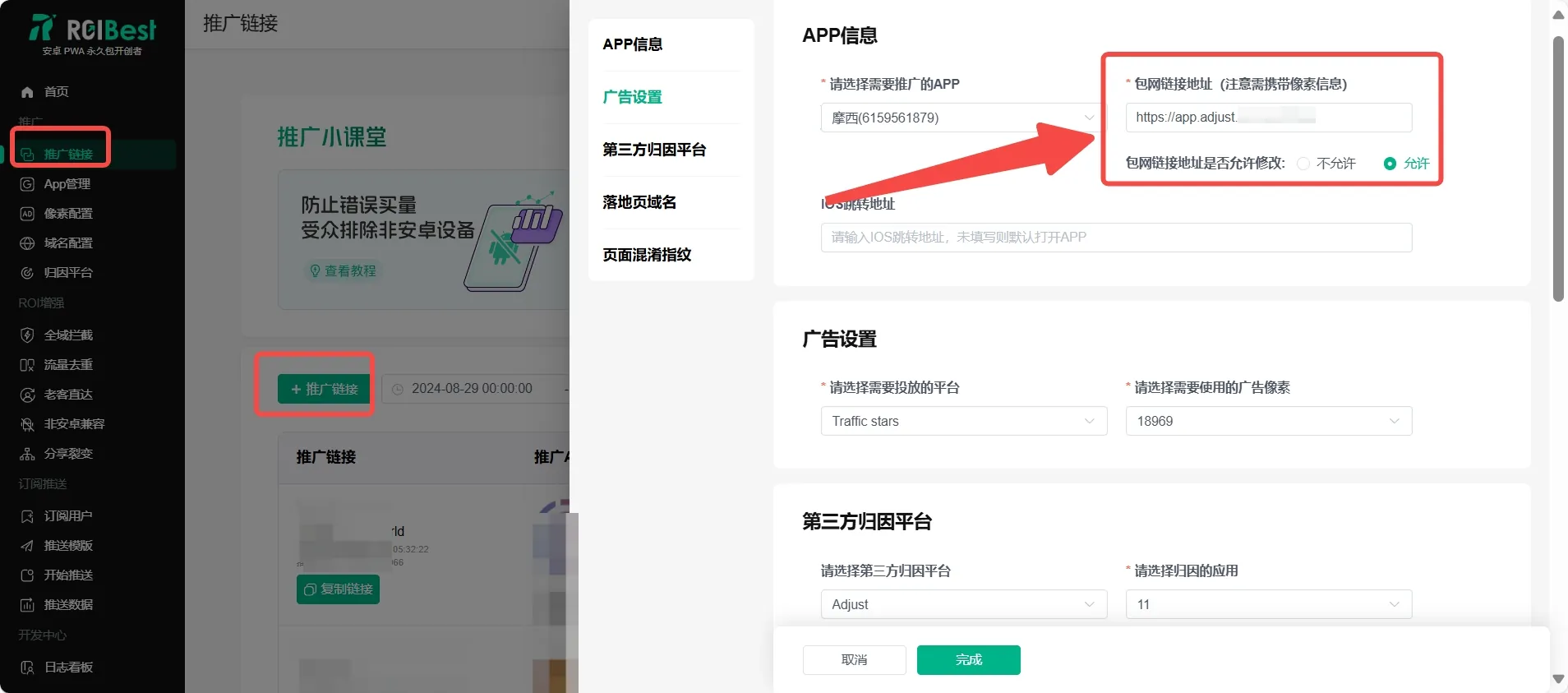
- When creating a promotion link in the ROIBest dashboard, paste the URL you copied in the previous step into the white-label link address field
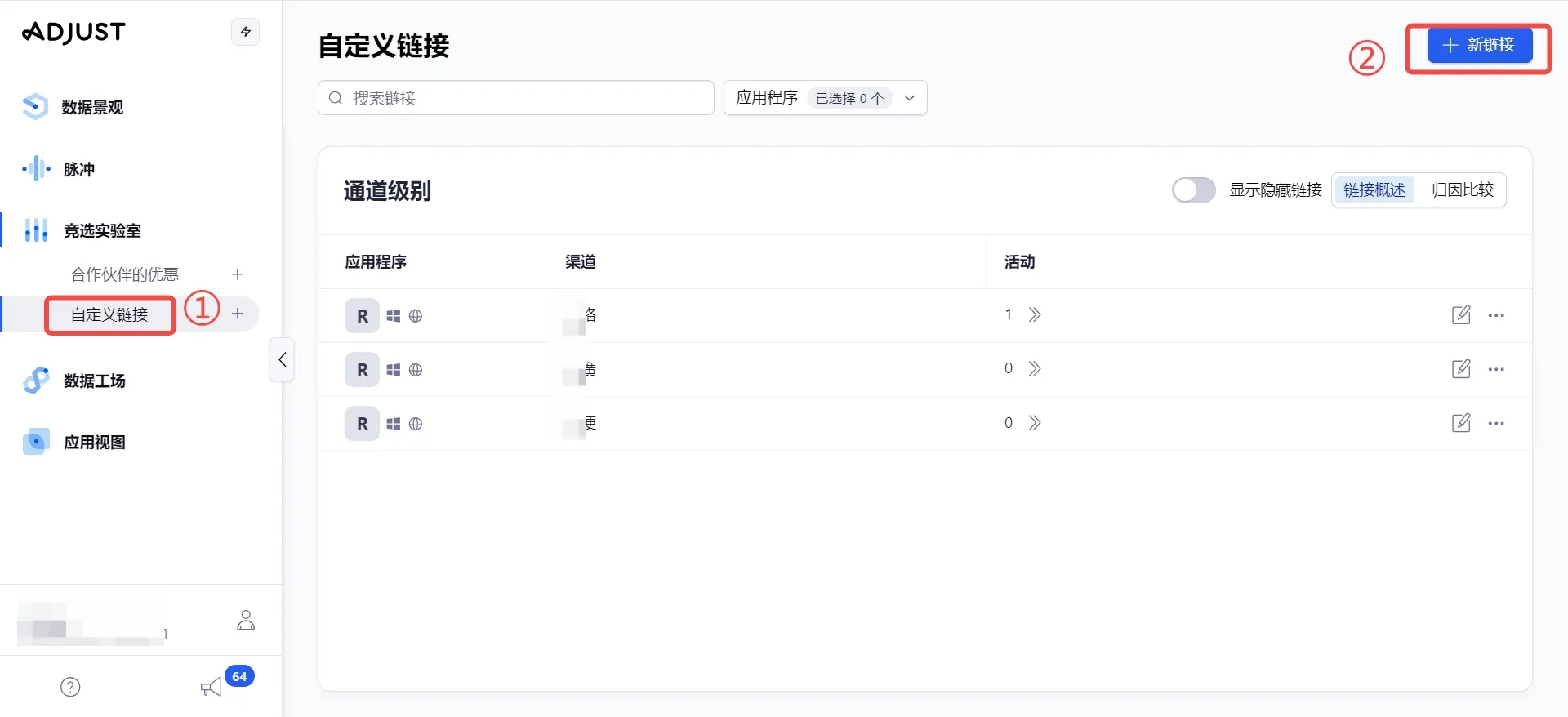
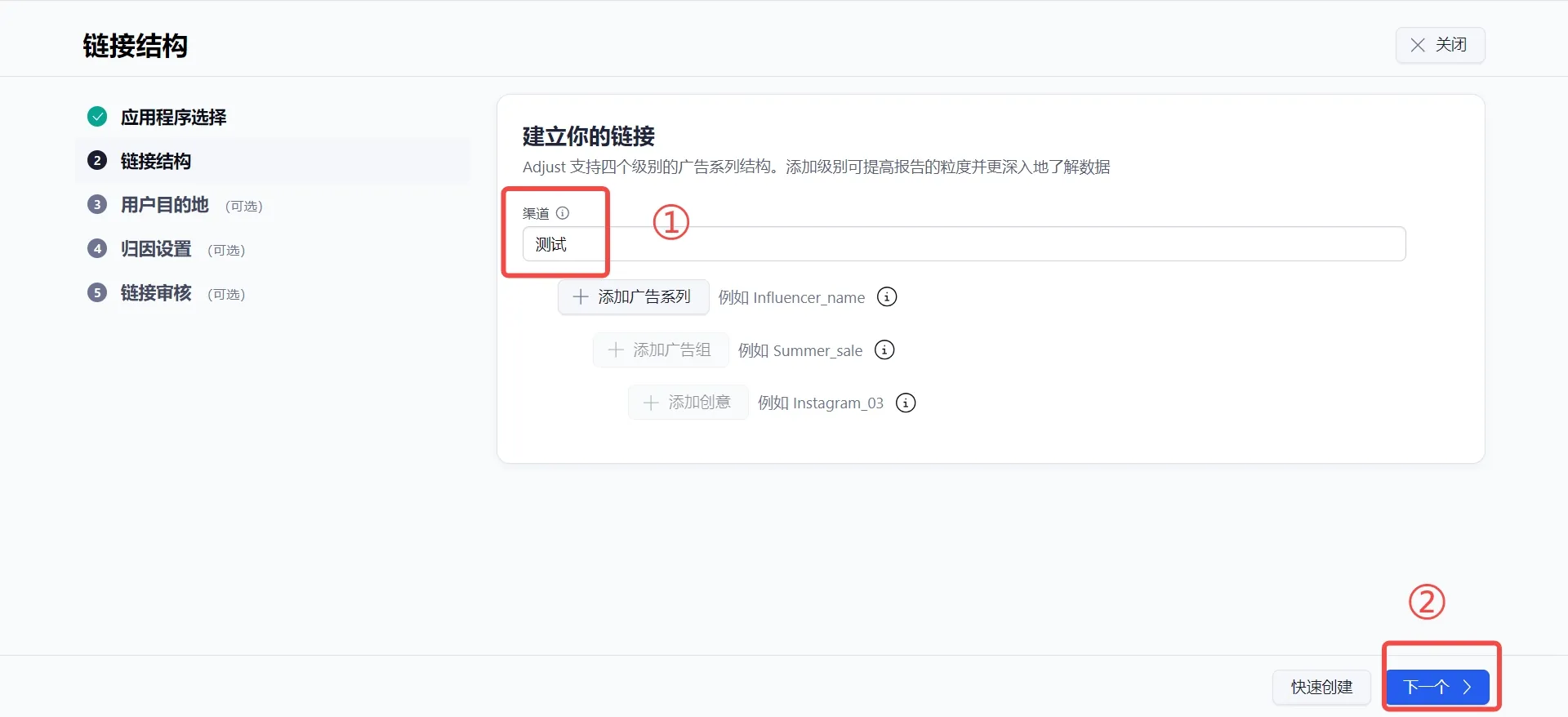
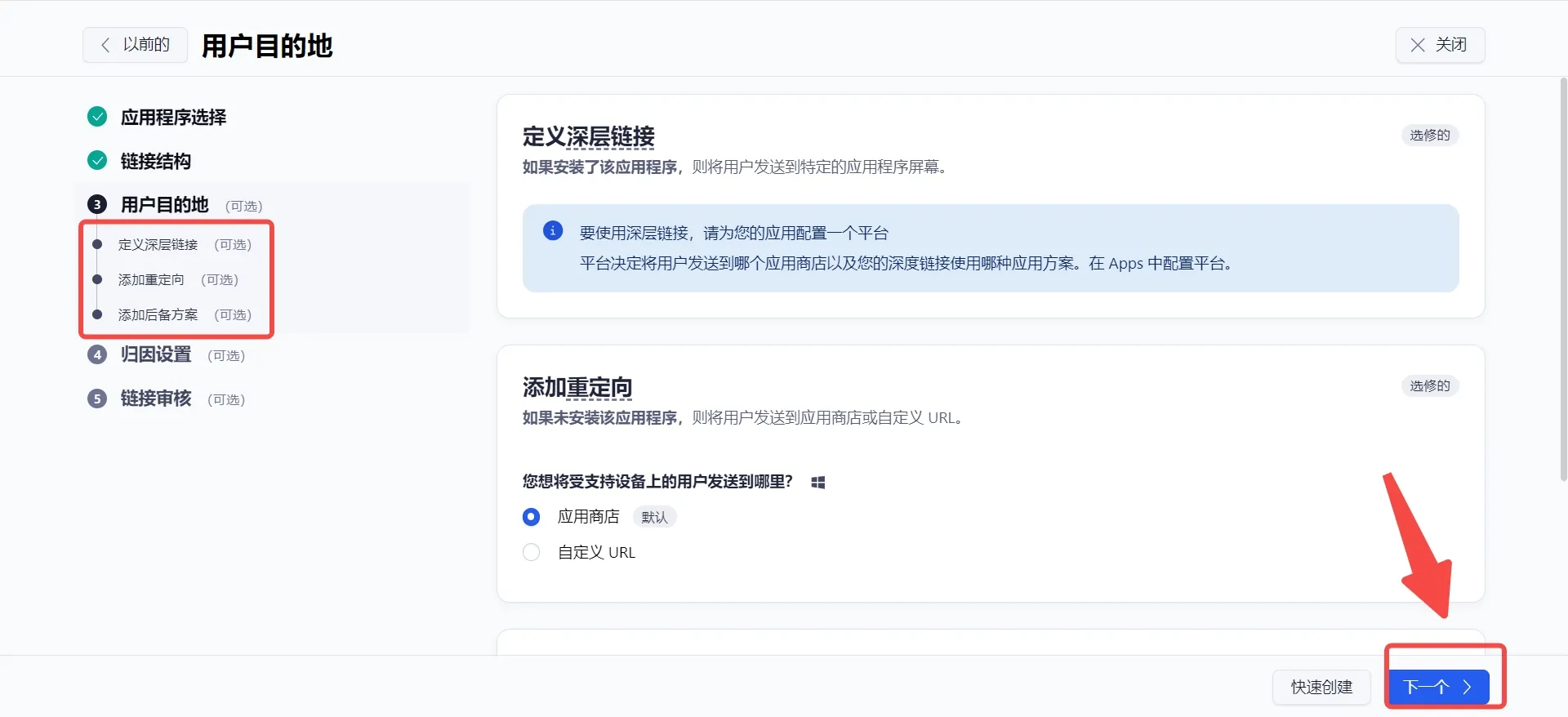
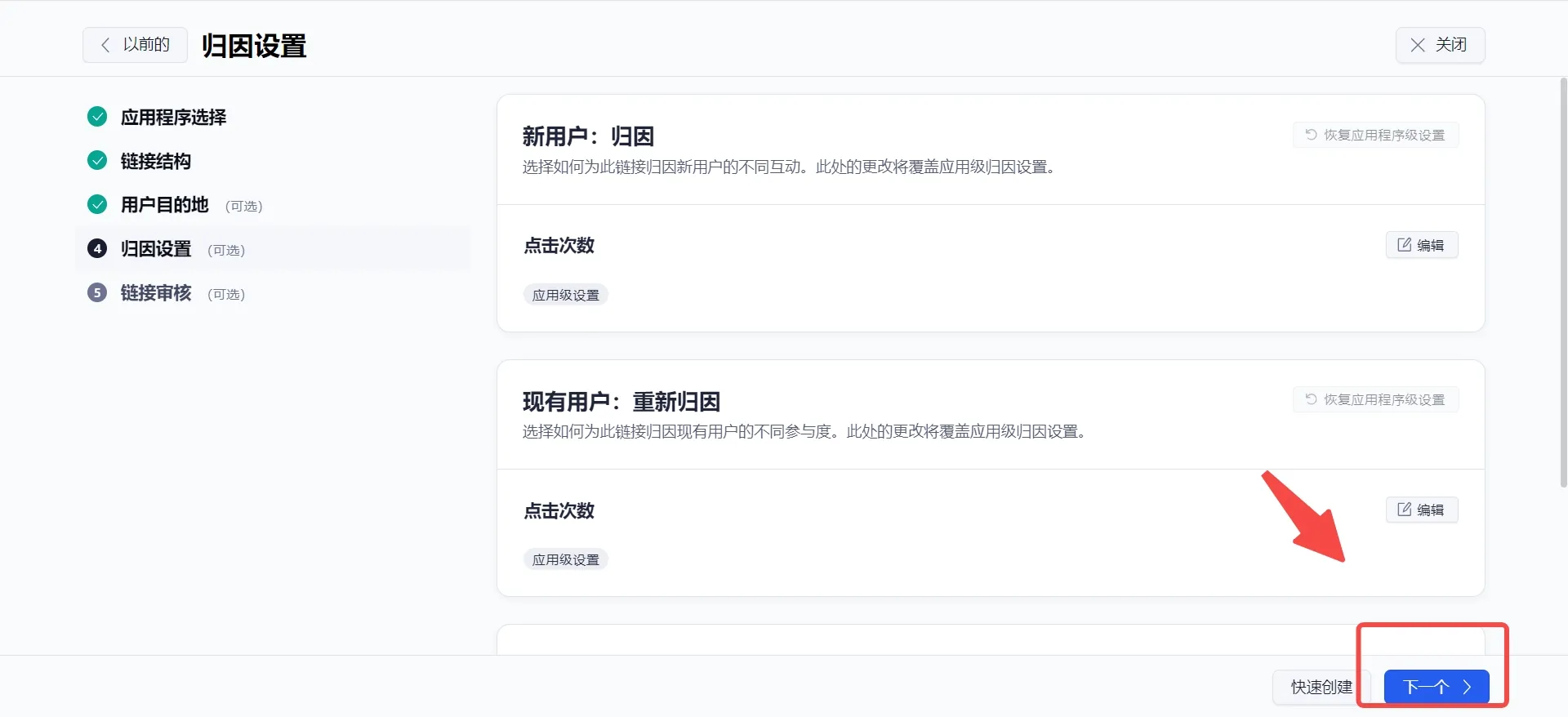
Method 2: Integrate via Adjust Custom Links (Use this method for xiaobu, etc.)