

URL or Packaged Integration Guide
Choose one of the following two integration methods:
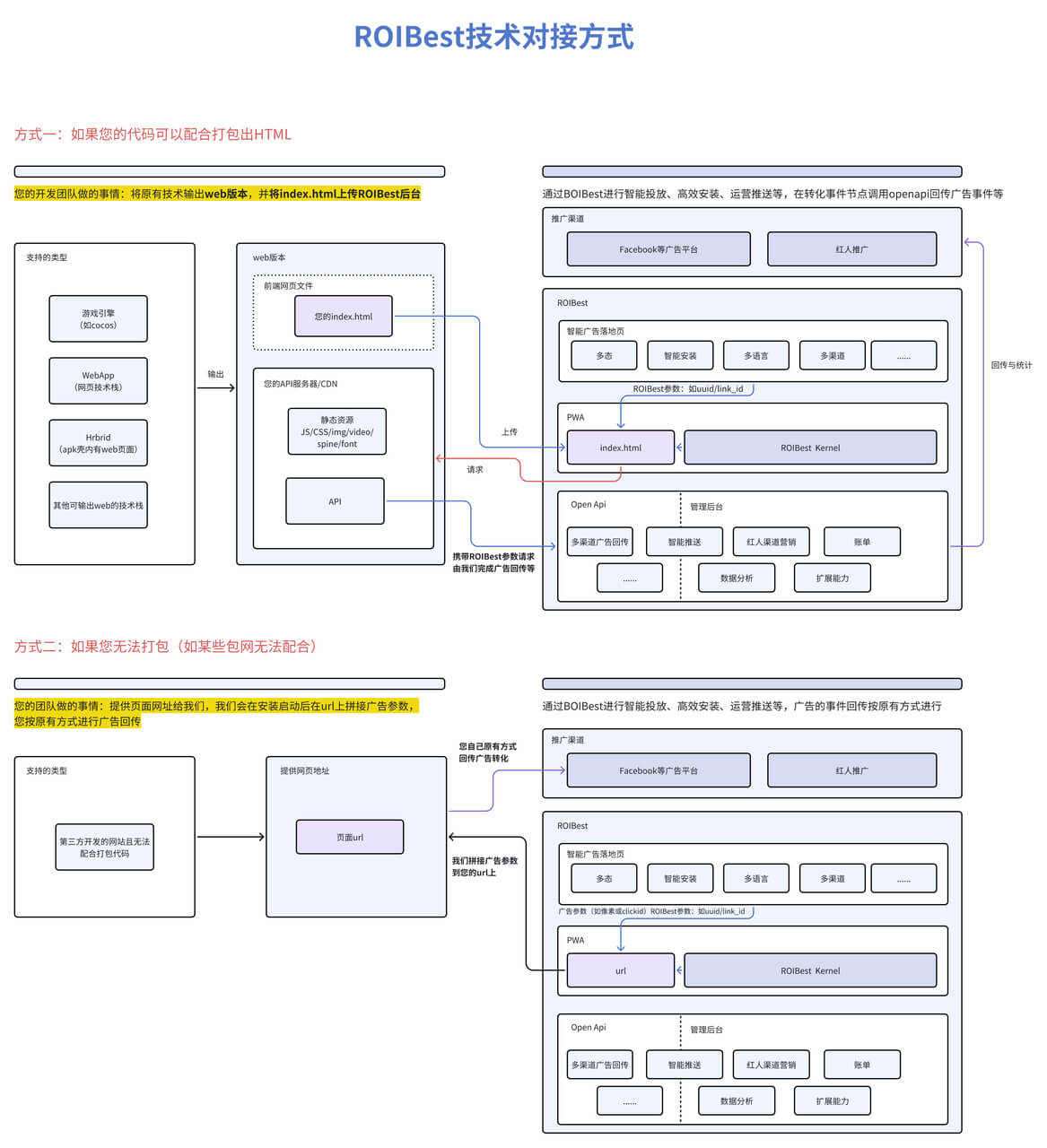
Packaged Integration
For the packaged integration method, simply enter the URL of your site that includes the pixel generation into the ROIBest backend's "Promotion Link - Site URL" input box.
When the application starts, we will pass the uuid, link_id, and advertising parameters (such as fbclid, etc.) to complete the ad event reporting.
Self-Developed Integration
- URL Integration: Directly use your H5 URL and select "Packaged Integration" when creating an application in the ROIBest backend. When the application starts, we will pass all the advertising parameters. After obtaining the parameters, you can call our advertising event reporting API to report back or call the query advertising parameters API to report back yourself.
- Packaged Integration: Build your front-end page and static resources (if static resources are packaged with the HTML, they will be uploaded to our CDN server. Ensure that the project's publicPath is set to "./". You can also choose to place and reference static resources from your CDN server, in which case publicPath needs to be set to your CDN domain. Routing mode currently only supports hash routing.). Place index.html in the top-level directory and compress it into a zip package. Select "Packaged Integration" when creating an application in the ROIBest backend. When the application starts, parameters will be stored in local storage. After obtaining the local storage parameters, you can call our advertising event reporting API to report back or call the query advertising parameters API to report back yourself.
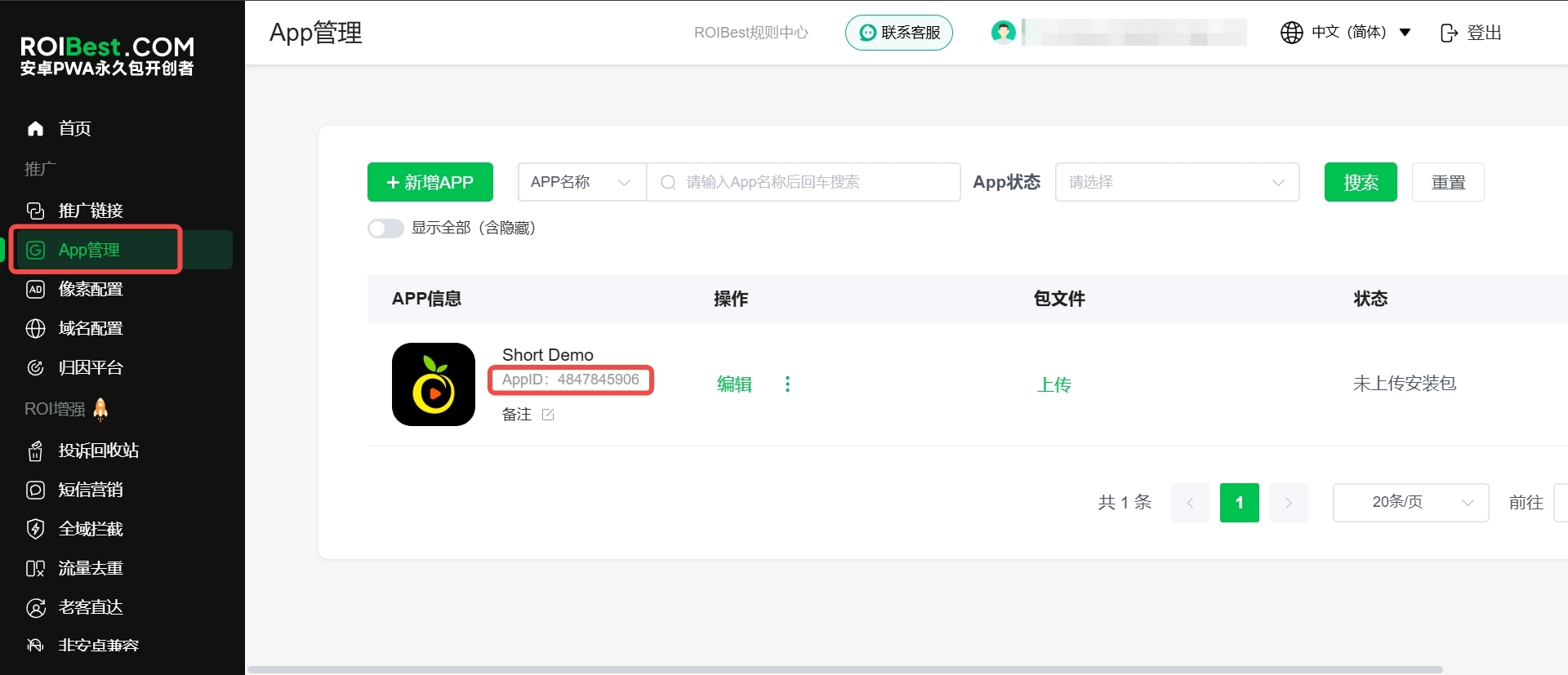
Getting the AppID
In the backend -> App Management -> In the corresponding app information column -> AppID: xxxxxxxxxx
Fetching Key Parameters
After obtaining the link_id within the application, it is best to associate it with the user's login information to prevent losing the parameters if the user clears the browser cache.
How to Debug Pixels
Manually append advertising parameters to the copied promotion link. Perform installation and recharge tests. Note that these parameters do not need to be appended for official promotions.
- For Facebook links, append
&fbclid=123 - For TikTok links, append
&ttclid=123
Official Promotion
For official promotion, provide the advertising partners with the generated promotion link.